
TL;DR
Public domain images can work well for LinkedIn banners when the source, license record, and visual fit are checked before upload. The safest approach is to choose simple, high-resolution backgrounds, keep proof of public domain status, and pair the banner with a headshot that stays visually dominant.
A LinkedIn banner looks small, but it quietly frames every recruiter visit, client pitch, founder profile, and creator page. Public domain photos for LinkedIn backgrounds are useful because they can reduce licensing friction while still giving a profile context and polish. Public domain: creative work with no active exclusive intellectual property rights, often because rights expired, were waived, were forfeited, or never applied. A clean background should support the profile photo, not compete with it. For professionals pairing profile portraits with banner visuals, Looktara can help create polished LinkedIn-ready imagery that feels consistent across a personal brand.
Table of Contents
What are public domain photos for LinkedIn backgrounds?
Public domain photos for LinkedIn backgrounds are images that can generally be copied, edited, and used as profile banners without asking a copyright holder for permission. The safest choices still need proof of status, because a photo being free to download does not always mean it is public domain.
Public domain image: a photograph with no active copyright restriction on reuse.
CC0 image: a work where the creator has waived copyright interests as far as legally possible.
Free stock image: a downloadable image offered at no cost, but often under platform-specific license terms.
Key insight: "Free" describes price; "public domain" describes rights. Those two labels are not interchangeable.
Public domain status can come from several routes. Older works may have expired copyrights. Some government-produced works may be outside copyright in specific countries. Creators may also waive rights through tools such as CC0. Each route has different limits, especially when trademarks, privacy rights, recognizable people, private property, or international use are involved.
Public domain, free stock, and Creative Commons differ
Many LinkedIn background search results mix public domain imagery with free stock and Creative Commons media. That creates confusion for job seekers and small business owners who need a clean, low-risk profile update.
Free stock sites may allow broad commercial use, but they still set license rules. Creative Commons licenses may require attribution or restrict commercial edits. Public domain material is generally the simplest for reuse, but the burden of checking the claim still sits with the person publishing the banner.
Public domain checks before saving an image
A safe image file should come with enough context to prove why it can be reused. A profile banner may stay online for years, so records matter.
- Save the image source URL and license page as a PDF or screenshot.
- Record the creator name, collection name, and download date.
- Check whether the page says public domain, CC0, or only free download.
- Avoid visible logos, celebrities, private buildings, and branded products.
- Keep the original file, edited version, and notes in one folder.
Film stills deserve extra care. A film still is a photo taken on or off a movie or television set during production, often for promotion. Even if an old film is easy to find online, a still should not be treated as public domain without a rights check.
Where can professionals find safe LinkedIn banner images?
Safe LinkedIn banner images are easiest to find from sources that clearly label usage rights, provide large files, and avoid confusing "free" with "public domain." General stock libraries, niche banner sites, and public archives can all work, but each source type requires a different level of checking.
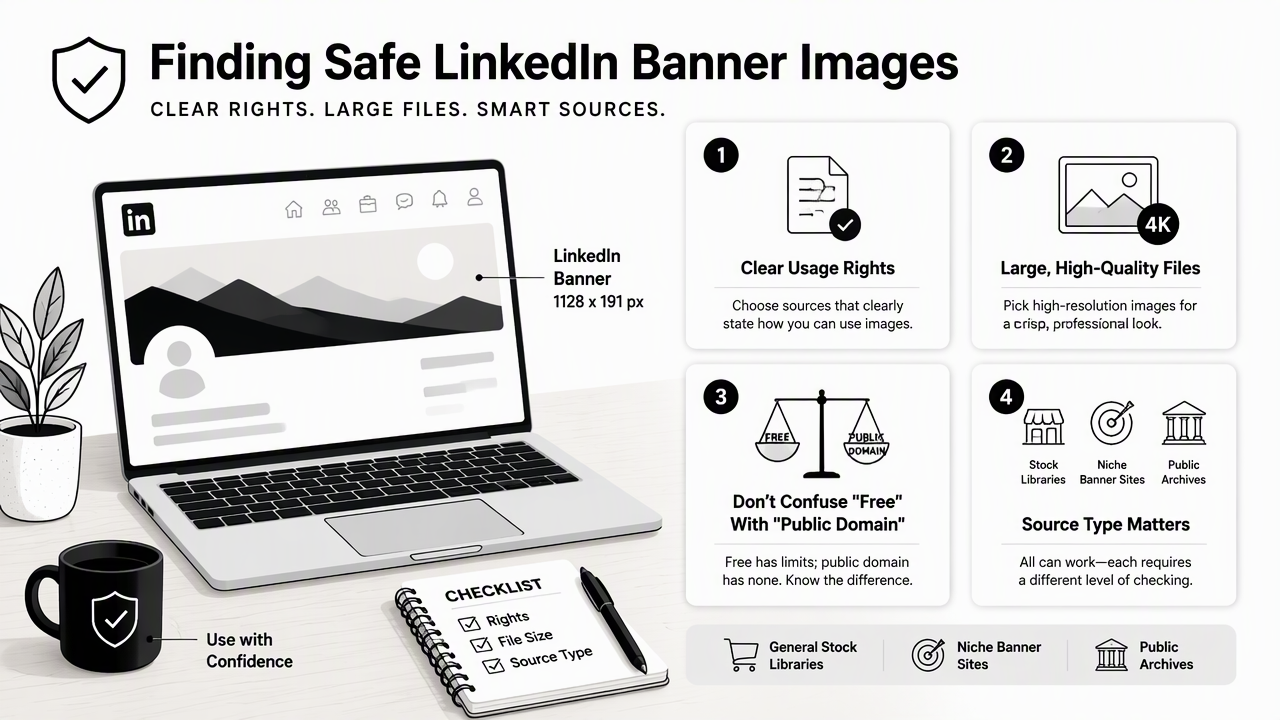
Source comparison for LinkedIn background images
| Source type | Best fit | Rights caution | Design note |
|---|---|---|---|
| Public domain archives | Historical, nature, space, civic, science themes | Confirm the specific file page, not only the collection | Often needs cropping and color correction |
| CC0 photo libraries | Modern offices, landscapes, abstract textures | CC0 is strong, but model and trademark rights still matter | Usually high-resolution and easy to crop |
| Free stock platforms | Fast search and modern visuals | Free license may not equal public domain | Avoid overused business clichés |
| LinkedIn banner collections | Ready-made 1584 x 396 layouts | Check whether the page grants reuse rights | Easier sizing, less creative control |
| AI-assisted branded design | Custom visual direction and consistent style | Confirm tool terms and avoid copying protected brands | Best when a plain source image needs polish |
Dedicated background galleries can be helpful for sizing and ideas. For example, LinkedInBackground.com lists categories such as professional LinkedIn backgrounds and green LinkedIn backgrounds, and the SERP data for this topic shows banners commonly presented at 1584 x 396 pixels.
A stock site that says "free for commercial use" may still have rules on redistribution, templates, or sensitive uses. The wording should be read on the exact image page, not assumed from a search result snippet.
When a custom banner beats a downloaded image
A downloaded image works when the goal is neutral polish. A custom banner is stronger when a profile needs a specific industry signal, such as fitness coaching, SaaS consulting, real estate, product design, or freelance services.
For brand-specific layouts, the fitness LinkedIn banner AI generator can help turn a simple background direction into a banner format. Related profile assets can also be extended into a fitness LinkedIn LinkedIn post AI generator workflow when the same visual style needs to appear in feed content.
How should a LinkedIn background support a headshot?
A LinkedIn background should make the headshot look clearer, more credible, and more intentional. The best banner is not the most dramatic image; it is the image that frames the profile photo, leaves room for interface cropping, and signals a professional category in less than a second.
A simple selection process for profile-fit banners
- Start with the profile goal: hiring, sales, consulting, founder branding, creator growth, or dating-adjacent personal branding.
- Choose one visual cue: workspace, city, abstract gradient, industry texture, nature, or product environment.
- Keep the left side visually calm because the profile photo overlaps that area on many views.
- Crop to 1584 x 396 pixels, then preview on desktop and mobile.
- Reduce contrast if the headshot, headline, or call-to-action competes with the background.
- Export a high-quality JPG or PNG and keep the source record.
Best professional effect: the banner should explain context while the face remains the main visual anchor.
Muted city skylines work well for consultants, founders, and recruiters. Soft gradients fit creators and service professionals. Industry-specific textures, such as gym flooring, data center lights, fabric, lab surfaces, or architecture, can communicate niche expertise without adding clutter.
Background styles by professional goal
| Profile goal | Strong background choice | Weak background choice |
|---|---|---|
| Job search | Clean office, city, subtle abstract image | Busy group photo or motivational text |
| Entrepreneurship | Workspace, product detail, skyline, brand color wash | Generic handshake or crowded conference shot |
| Freelancing | Portfolio texture, laptop scene, calm studio image | Random space with no relevance |
| Fitness or wellness | Training space, natural light, movement texture | Overly intense stock pose behind the headshot |
| Dating app crossover | Warm lifestyle color, outdoor depth, simple texture | Corporate boardroom or aggressive sales graphic |
A background should not duplicate the headshot's job. If the profile photo already shows energy and personality, the banner can be quieter. If the headshot is plain, the banner can add category context through color, place, or object choice.
Professionals building a broader visual set can adapt the same background logic into a fitness LinkedIn blog header AI generator for articles or a fitness LinkedIn event invitation AI generator for webinars, classes, and launches.
What legal and quality checks reduce risk in 2026?
The safest 2026 workflow checks copyright status, privacy, trademarks, image quality, cropping, and AI-editing terms before publication. Public domain status solves only one part of the issue; professional profile images can still create problems when identifiable people, protected logos, or misleading edits appear in the banner.
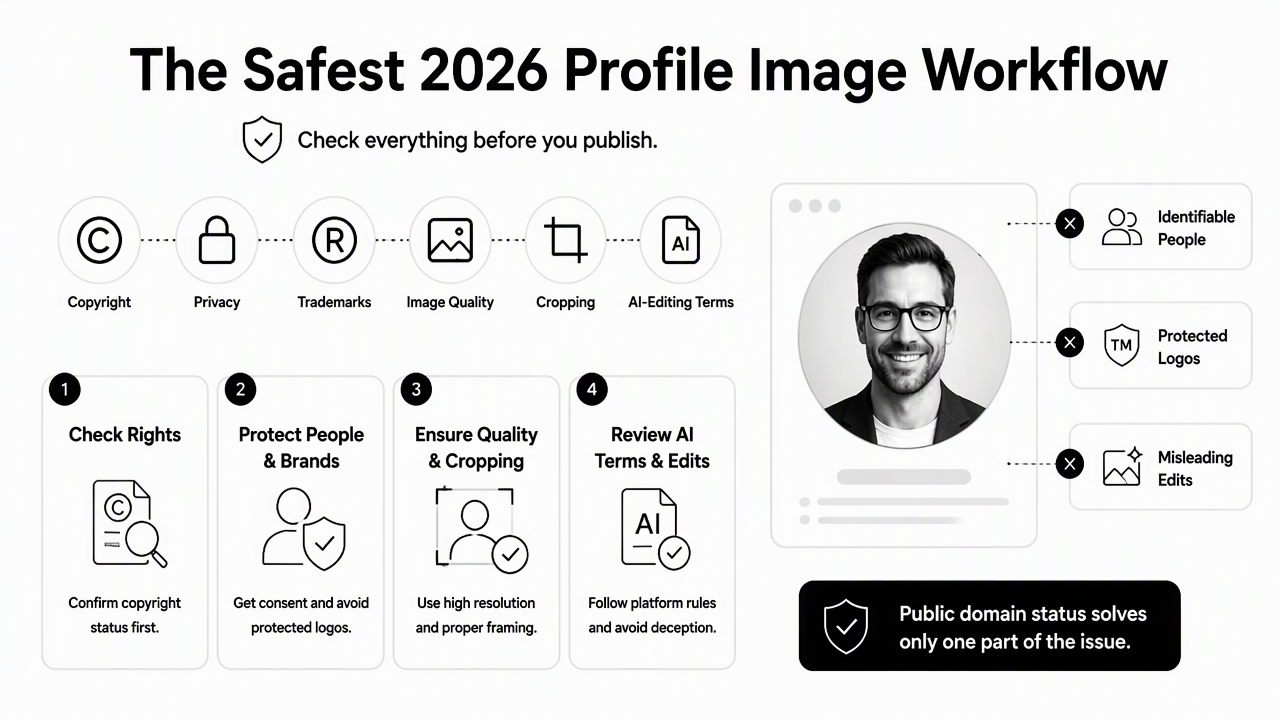
Rights and reputation checklist
A clean LinkedIn banner should pass both a legal check and a reputation check. Recruiters, buyers, investors, and clients often read visuals as trust signals.
- Copyright: confirm the image is public domain or licensed for the intended use.
- Attribution: add credit when required, even if LinkedIn has limited space for it.
- Model rights: avoid recognizable people unless permission is clear.
- Property rights: be careful with interiors, private venues, art, and architecture.
- Trademarks: remove or crop visible logos and product marks.
- Sensitive context: avoid images that could imply endorsement, affiliation, or medical, financial, political, or legal claims.
- Quality: reject blurry, compressed, stretched, or heavily watermarked files.
AI editing adds another layer. A 2023 paper by Jürgen Rudolph, Shannon Tan, and Samson Tan examined the rapid spread of chatbot systems and the broader "AI gold rush" in education and society, showing how fast generative tools entered professional use source. Research by Lu Cheng, Kush R. Varshney, and Huan Liu on socially responsible AI algorithms discusses issues and challenges around responsible AI design source. For banners, that means tool terms and output provenance should be checked, not assumed.
Technical quality checks before upload
LinkedIn background images often fail because of cropping, not because of the concept. The platform displays banners differently across devices, and the profile image covers part of the left side.
- Resize the canvas to 1584 x 396 pixels.
- Keep important visual details away from the left-center overlap zone.
- Use a file with enough resolution for sharp export.
- Preview in light and dark interface contexts when possible.
- Compare the banner against the headshot at small size.
- Replace any image that looks like a template seen on thousands of profiles.
For app founders, coaches, or product-led freelancers, a branded screenshot can be more useful than a generic background. The fitness LinkedIn app screenshot AI generator can help present an interface-style visual that fits a professional banner or related LinkedIn asset.
How can public domain images become branded LinkedIn assets?
Public domain images become stronger LinkedIn assets when they are edited into a consistent visual system: one banner, one headshot style, one accent color, and one repeatable content format. The goal is not decoration; it is recognition across search results, profile visits, and shared posts.
A practical branded-background workflow
Start with a calm image that already supports the professional category. Then apply light brand treatment: crop, color overlay, contrast control, and optional text only if it remains readable on mobile.
The Looktara platform is useful when a professional wants the banner, headshot tone, and supporting social assets to feel connected rather than assembled from unrelated files. For a broader content set, the same visual system can extend to the fitness Instagram LinkedIn post AI generator, especially when LinkedIn and Instagram need related but not identical imagery.
A simple brand kit can include:
- One public domain or custom background direction
- Two accent colors pulled from the headshot or business brand
- One readable type style for occasional text overlays
- One crop rule for LinkedIn, website hero images, and social posts
- One folder containing licenses, source files, and exports
Visit looktara.com when a profile needs polished visual consistency across more than a single banner.
FAQ: Public domain LinkedIn background questions
Are all free LinkedIn background images public domain?
No. Free LinkedIn background images are not automatically public domain. Some are free stock, some use Creative Commons terms, and some sit under platform-specific licenses. The safest habit is checking the exact image page for rights language, saving that page, and avoiding files with unclear ownership.
Does a public domain LinkedIn banner need attribution?
Public domain images usually do not require attribution, but credit can still be useful for records and professional transparency. Creative Commons images may require attribution, depending on the license. When space is limited on LinkedIn, attribution can be kept in internal records or placed on a related website page if required.
Can public domain images be edited for a LinkedIn profile?
Yes, public domain images can generally be cropped, recolored, layered, and adapted for a LinkedIn profile. Edits should still avoid adding misleading claims, protected logos, or recognizable people without permission. A clean edit usually improves fit because LinkedIn's banner shape is wide and shallow.
What background works best behind a professional headshot?
The best background behind a professional headshot is simple, relevant, and low-contrast near the profile photo. Abstract gradients, quiet city scenes, workspace details, and industry textures often work better than busy scenes. The face should stay dominant because LinkedIn profiles are scanned quickly.
Conclusion
Public domain photos for LinkedIn backgrounds can create a polished profile without adding unnecessary licensing complexity, but only when rights, source records, image quality, and visual fit are handled carefully. The next step is simple: pick three legally clear images, crop each to 1584 x 396, preview them beside the headshot, and keep the version that makes the profile look most credible. For a more consistent professional presence, create the banner, posts, and profile visuals with Looktara, then keep the source documentation in the same folder as the final exports.
Generated by EarlySEO.com