
TL;DR
AI headshots usually win for LinkedIn when speed, background control, retakes, and profile polish matter. Photo booth images can work for fast identity-style photos, but they often need careful cropping, lighting correction, and brand consistency before they feel credible in a recruiter's feed.
A LinkedIn profile photo has to do one quiet job fast: make a person look credible before a recruiter, client, or partner reads a single line. The comparison of photobooth photo booth vs AI headshots for LinkedIn matters because both options promise speed, but they solve different problems. Photo booth: a vending machine or modern kiosk with an automated camera and digital photo process, based on the standard Wikipedia definition of photo booths. AI headshot: a generated or AI-edited portrait designed to resemble a polished business photo from uploaded images. For professionals who also post career updates, branded offers, or creator content, Looktara can fit into the wider profile-refresh process alongside tools such as a LinkedIn post AI generator.
Table of Contents
What is the practical difference for LinkedIn?
Photo booths capture a real image in a controlled kiosk, while AI headshot tools create or enhance a professional-looking portrait from uploaded photos. For LinkedIn, the core difference is control: booths control capture conditions; AI tools control the final image, including background, outfit style, lighting balance, and framing.
SERP research for this topic shows a small but active search field, with 10,900 total results and ranking pages focused on event headshots, App Store AI headshot tools, and smarter alternatives to traditional booths. That mix signals a real user problem: people want a polished profile image without booking a studio session.
Key insight: the best LinkedIn photo is not the sharpest image alone; it is the image that looks credible, current, and natural at small feed size.
A booth photo can look trustworthy because it is literal. A person steps into a kiosk, looks at the camera, and gets a direct capture. The weakness is that many booths are designed for convenience, IDs, events, or keepsakes, not executive-level headshots.
AI headshots can look more polished because they can remove clutter, standardize lighting, and create business-ready backgrounds. The risk is overproduction. If the face, skin texture, smile, or hairline looks too altered, the image may feel less credible than a simple booth photo.
LinkedIn profile photo terms to know
- Photo booth image: a quick automated capture, usually taken in a kiosk or event setup.
- AI-edited headshot: a real uploaded photo improved with background, lighting, crop, or clothing changes.
- AI-generated headshot: a new portrait generated from several input images.
- Recruiter-feed credibility: how believable, professional, and approachable the photo looks when viewed quickly in LinkedIn search results or the feed.
- Brand consistency: visual alignment between the profile photo, banner, posts, website, and other social channels.
Photobooth photo booth vs AI headshots for LinkedIn: side-by-side criteria
AI headshots usually perform better for LinkedIn polish, while photo booth images work best when a simple, literal, same-day portrait is enough. The strongest choice depends on the use case: a job seeker may need trust and realism, while a founder or creator may need a profile image that matches a larger personal brand.
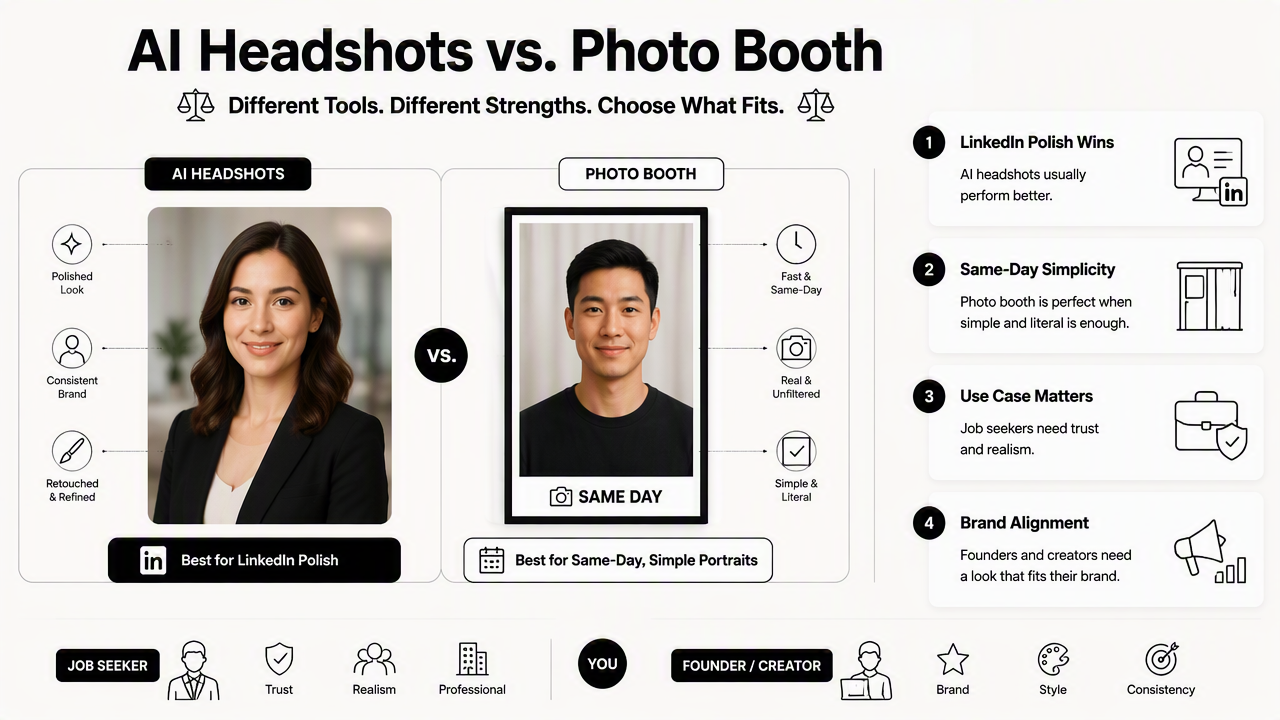
The current SERP includes event-headshot pages that promote self-guided iPad kiosks and AI-edited outputs, which shows the market is already blending booth-style capture with AI finishing. That hybrid trend matters in 2026 because the old choice between "real booth" and "synthetic headshot" is becoming less clear.
LinkedIn headshot comparison table
| Criterion | Photo booth image | AI headshot |
|---|---|---|
| Speed | Very fast if a booth is nearby | Fast after uploading suitable photos |
| Lighting | Fixed by booth setup | Adjustable in final output |
| Background control | Limited unless booth offers options | Strong, often business backgrounds are available |
| Facial expression | Must be captured correctly on the spot | Multiple versions can be produced from inputs |
| Retakes | Limited by time, booth access, or cost | Usually easier to generate several options |
| Cost profile | Low per session, variable by location | Varies by tool, often lower than studio photography |
| Realism | High because it is a direct capture | High when restrained, weaker when over-smoothed |
| LinkedIn fit | Acceptable if well lit and cropped | Strong if natural, current, and not exaggerated |
| Best for | Quick proof-of-person photo | Career, founder, freelancer, and creator profiles |
A booth image can be the safer choice when authenticity is the top concern. The face is exactly as captured, and there is little chance of visual mismatch during a video interview or client call.
AI headshots have the edge when a person needs consistency across channels. A freelancer, coach, or small business owner can pair a polished headshot with branded visuals, such as a logo AI generator for fitness and Shopify brands, so the profile feels intentional rather than patched together.
When does a photo booth photo make sense?
A photo booth photo makes sense when the goal is speed, direct realism, and a simple professional presence rather than a highly styled personal brand. It can work for LinkedIn if the image is recent, evenly lit, tightly cropped, and free of distracting background details.
Booths are also useful in event contexts. One ranking competitor focuses on event headshots for trade shows, conferences, and sponsors, including self-guided kiosk experiences and delivery to an inbox in minutes. That format is strongest when many attendees need a usable image at scale.
A booth photo should be treated as a raw professional asset, not automatically as a finished LinkedIn headshot.
The main advantage is trust. Recruiters and hiring managers often prefer images that look like the person who may appear on a call. A clean booth capture can avoid the overly polished look that sometimes makes AI portraits feel less personal.
The tradeoff is visual control. Many booths produce flat lighting, harsh shadows, cramped framing, or passport-style posture. Those details can make a capable professional look less warm or less senior than intended.
Checklist before using a booth image on LinkedIn
- Choose the frame where the eyes are open and the expression looks relaxed.
- Crop from the upper chest to slightly above the head, keeping the face central.
- Avoid busy event logos, curtains, or harsh background colors.
- Adjust brightness lightly, without changing facial features.
- Check the image at small size, since LinkedIn displays profile photos in tiny circles across search and comments.
- Compare the photo against the tone of recent posts, offers, or portfolio pages.
For creators and solo business owners, the booth photo should also match the surrounding content. A profile image paired with polished visual posts, such as a quote post AI generator, can look inconsistent if the headshot feels like an ID card.
When are AI headshots the better LinkedIn choice?
AI headshots are usually better when the profile photo needs to look polished, brand-aware, and ready for recruiting, sales, speaking, or creator visibility. The best AI results look like a well-lit studio portrait, not like a fantasy version of the subject.
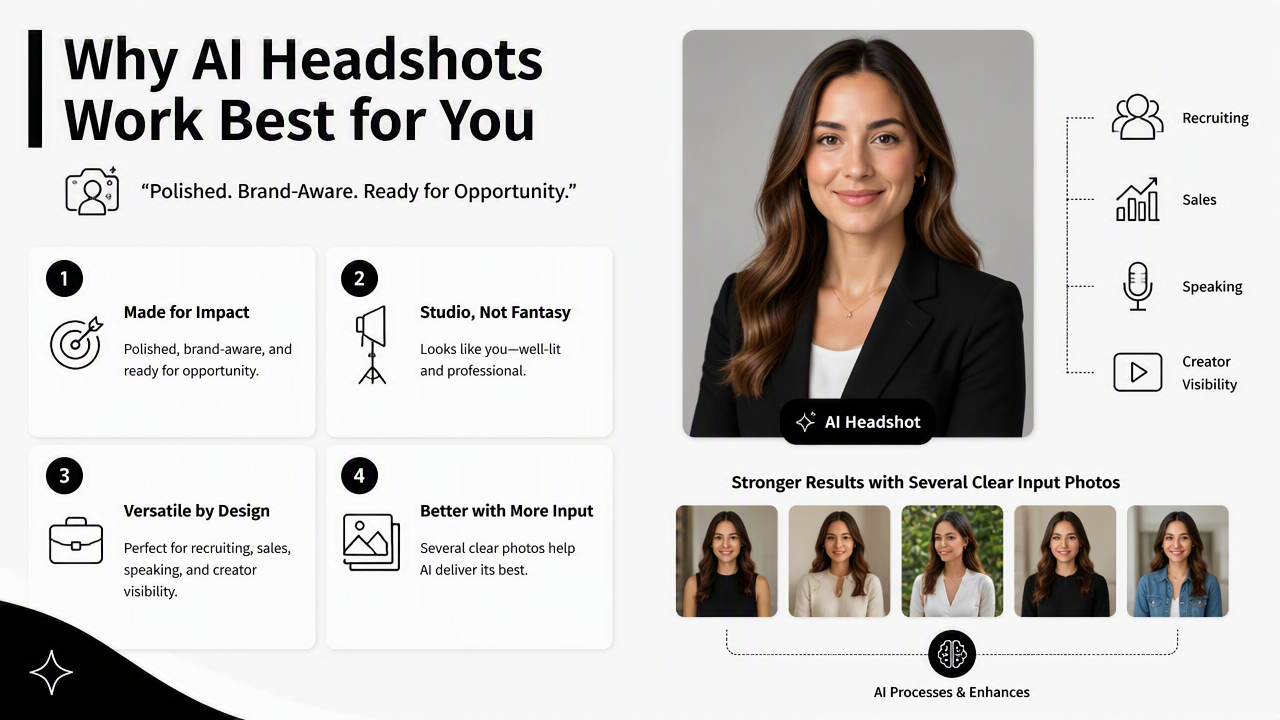
AI tools are strongest when several clear input photos are available. Different angles, natural expressions, and current hairstyles help the system produce a result that still feels like the person. Poor inputs can lead to stiff poses, odd skin texture, or mismatched features.
The App Store result in the SERP for "AI Headshots Pro - Photo Booth" shows another practical issue: users judge these tools heavily by output quality and trust. Research data lists review-style headings such as "Paid and No Pictures," "Is this app a scam?" and "Does not work," which means buyers compare not just image style, but delivery reliability.
A careful AI headshot workflow avoids that problem by focusing on realism first. That means neutral clothing, realistic lighting, and a background suited to the role. A corporate recruiter profile, founder bio, remote-work profile, dating app image, and influencer media kit should not all use the same visual tone.
How Looktara handles LinkedIn-ready imagery
The Looktara platform is best framed as part of a broader professional image system, not just a single profile-photo decision. A polished AI headshot works better when the surrounding assets support the same identity: LinkedIn posts, X posts, thumbnails, banners, and other social visuals.
For example, a founder or fitness entrepreneur can pair a headshot refresh with social graphics from a Shopify X post AI generator or video assets from a YouTube thumbnail AI generator. That consistency helps a LinkedIn profile look active, current, and commercially credible.
Which option should different professionals pick in 2026?
Most professionals should pick AI headshots for a polished LinkedIn refresh, while photo booth images remain useful for quick, literal, low-effort portraits. The decision becomes clearer when the photo is judged by job-search, brand, and platform needs rather than by technology alone.
AI headshots are a better fit for roles where presentation affects opportunity. Job seekers in consulting, sales, design, real estate, coaching, recruiting, and executive roles often benefit from cleaner backgrounds and balanced lighting. Remote workers and freelancers also gain from looking professional before any live meeting happens.
Photo booths are a better fit when access matters more than styling. A person at a conference, coworking space, campus, or event can get an acceptable image quickly. That image may be enough for internal directories, temporary profiles, or a first LinkedIn update before a more intentional brand refresh.
In 2026, the most credible route may be hybrid: capture a real photo, then use AI only for restrained improvements. Event-headshot competitors already describe formats such as "real photo, branded background," "real photo, AI-edited," and "AI-generated, true to life." Those categories point toward a future where realism and polish are combined rather than treated as opposites.
Best choice by use case
| Use case | Better option | Reason |
|---|---|---|
| Active job search | AI headshot | Cleaner presentation in recruiter search results |
| Same-day conference update | Photo booth | Fast capture when a booth is available |
| Founder or consultant profile | AI headshot | Stronger control over brand tone and background |
| Internal company directory | Photo booth | Literal, simple, and easy to standardize onsite |
| Creator or influencer profile | AI headshot | Easier match with banners, posts, and thumbnails |
| Dating app profile | Photo booth or restrained AI | Authenticity matters more than corporate polish |
A practical rule helps: choose the option that creates the least doubt. If an AI image looks too perfect, a booth photo may feel more believable. If a booth photo looks flat or awkward, a natural AI headshot may create a better first impression.
For professionals building a public brand, profile imagery should connect with channel design. A creator can extend the same visual identity into a TikTok banner AI generator, while a career-focused profile can keep LinkedIn content visually consistent. For more brand-refresh ideas, visit looktara.com.
FAQ about LinkedIn photo choices
Is a photo booth picture acceptable for LinkedIn?
A photo booth picture is acceptable for LinkedIn when it is clear, recent, well cropped, and not styled like a passport or party snapshot. The best booth images show the face clearly, use neutral lighting, and avoid clutter. If the result looks cramped, harsh, or overly casual, an AI-edited or studio-style headshot will usually look more professional.
Do recruiters care if a LinkedIn headshot is AI-generated?
Recruiters mainly care whether the image looks credible, current, and aligned with the person behind the profile. An AI headshot can work well when it looks natural and matches real appearance on calls or interviews. A visibly artificial image can reduce trust, especially if facial features, hair, clothing, or age appear inconsistent.
How many photos are needed for a good AI headshot?
A good AI headshot generally depends on several clear, recent input photos with varied angles and natural expressions. More variety gives the system better reference material, but quality matters more than volume. Blurry selfies, heavy filters, sunglasses, hats, or outdated photos can weaken the final result and make the portrait feel less authentic.
Should LinkedIn photos use a plain or branded background?
A plain background is safest for job seekers, corporate professionals, and anyone applying across many industries. A branded background can work for founders, coaches, creators, and consultants when the colors and style are subtle. LinkedIn profile images appear small, so the face should remain more important than the background.
Conclusion
The smartest choice in photobooth photo booth vs AI headshots for LinkedIn is the one that earns trust at feed speed. Photo booths are fast and literal, especially at events. AI headshots offer stronger control over polish, background, and brand consistency, as long as the final image stays natural.
A practical next step is simple: compare one strong booth-style capture against one restrained AI headshot at LinkedIn thumbnail size. Pick the image that looks most credible, current, and aligned with the intended role. For professionals refreshing both profile imagery and social content, Looktara and looktara.com can support the broader visual update from headshot impression to post-level brand consistency.
Generated by EarlySEO.com