
TL;DR
AI portrait corrections work best for exposure, crop, color, background cleanup, and light skin retouching. Regeneration is usually better when facial structure, hands, gaze, identity, or realism is wrong, because heavy fixes can make a portrait less trustworthy.
AI portraits can look polished in seconds, but the smallest correction can decide whether a headshot feels credible or artificial. Photo adjustment software for AI portrait corrections helps refine generated or camera-based portraits without starting from scratch, while tools such as Looktara focus on creating usable professional imagery for profiles, creators, and personal brands. AI portrait correction: the process of improving an AI-generated or AI-assisted portrait through edits such as cropping, exposure balancing, color correction, skin refinement, background cleanup, and selective regeneration.
Table of Contents
What is photo adjustment software for AI portrait corrections?
Photo adjustment software for AI portrait corrections is editing software that improves AI-generated or AI-enhanced portraits while preserving the subject's identity, facial realism, and intended use. The best tools handle small corrections quickly, but they also make clear when a flawed image should be regenerated instead of heavily edited.
Modern portrait editors sit between traditional retouching and image generation. A 2021 review of artificial intelligence in the creative industries describes how AI is increasingly used across creative tasks, including image processing, but the creative result still depends on human intent and control.
Key insight: AI correction should make a portrait look more natural, not more obviously edited.
Core correction terms worth knowing
Retouching: local edits to skin, hair, clothing, or background details.
Global adjustment: full-image changes such as exposure, contrast, warmth, sharpness, or crop.
Generative fill: AI-based replacement of missing, unwanted, or damaged parts of an image.
Regeneration: creating a new portrait output from a prompt, reference image, or model rather than repairing the existing file.
Identity preservation: keeping the face, age cues, expression, and recognizable features consistent across edits.
Common portrait correction jobs
Most portrait fixes fall into a few practical categories:
- Professional profiles: LinkedIn headshots, business bios, speaker pages, and resumes.
- Creator branding: profile images for Instagram, Pinterest, newsletters, and short-form video channels.
- Entrepreneur imagery: founder photos, sales pages, author boxes, and podcast artwork.
- Personal profiles: dating app photos and casual social avatars that need to feel authentic.
For fitness creators building a consistent visual presence, AI-generated campaign assets can pair with profile imagery through pages such as fitness Instagram product photo generation and fitness Pinterest product photo generation.
Which AI portrait edits are safe, and which need regeneration?
Safe AI portrait edits preserve identity, lighting logic, and realistic anatomy, while risky edits change the face, body, gaze, or skin texture so much that the image may feel fake. Minor improvements belong in editing software; structural errors usually call for a new portrait generation.
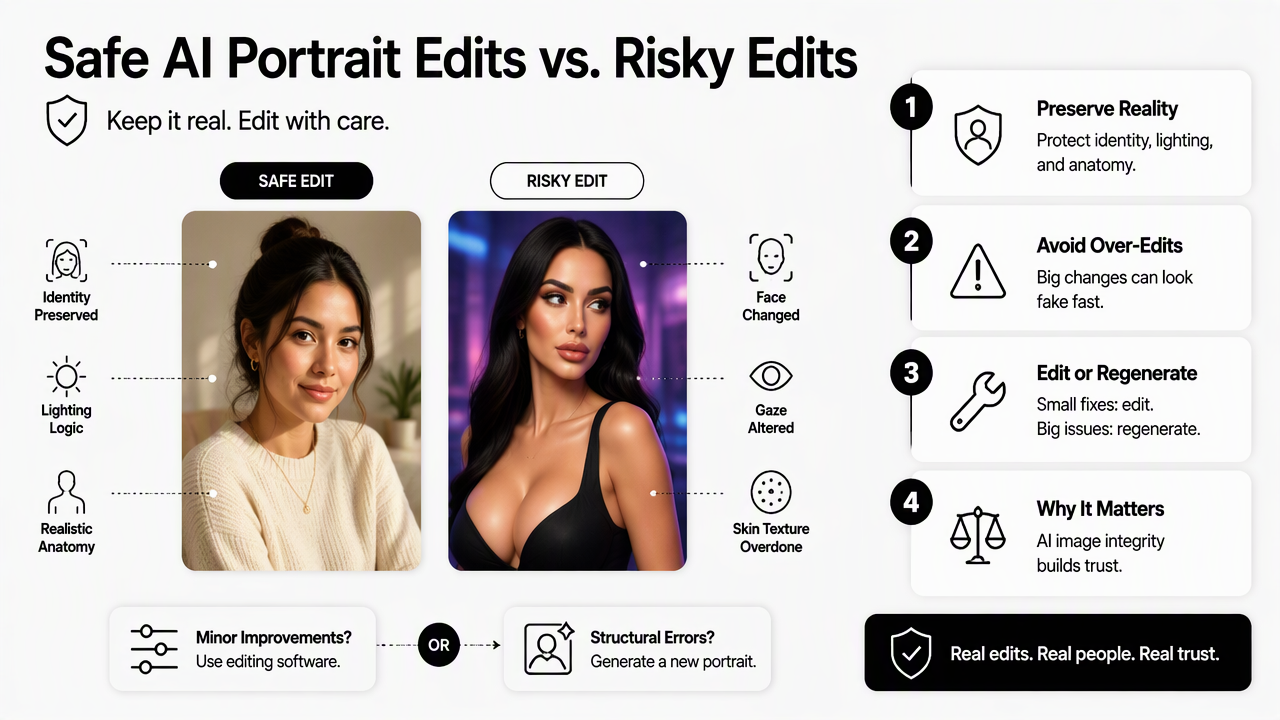
This matters because AI images can contain convincing surface detail while still failing in subtle ways. Research on data augmentation in classification and segmentation examines how image transformations can affect machine learning tasks, which is a useful reminder that visual changes are not always neutral.
Safe versus risky correction framework
| Correction type | Usually safe to adjust | Risk level | Better action |
|---|---|---|---|
| Crop and framing | Recenter face, improve headroom, match platform ratio | Low | Edit |
| Exposure | Brighten underlit face, reduce harsh highlights | Low | Edit |
| Color balance | Correct warmth, tint, or dull skin tone | Low | Edit |
| Background cleanup | Remove small distractions behind subject | Low to medium | Edit carefully |
| Skin retouching | Reduce temporary blemishes or shine | Medium | Use light opacity |
| Eye correction | Fix tiny catchlight or red-eye issues | Medium | Edit only if gaze stays natural |
| Hair repair | Tidy flyaways or edge artifacts | Medium | Edit or regenerate if severe |
| Face reshaping | Change jaw, nose, cheeks, smile, or age cues | High | Regenerate |
| Heavy smoothing | Remove pores, wrinkles, or normal texture | High | Regenerate or reduce edit |
| Hand or anatomy repair | Fix extra fingers, warped ears, bent glasses | High | Regenerate |
Decision rule for edit versus regenerate
A portrait should be edited when the problem affects presentation, not identity. A portrait should be regenerated when the problem affects anatomy, likeness, trust, or emotional expression.
Use this quick sequence:
- Check the face at full size, not just as a thumbnail.
- Confirm both eyes point naturally and match the expression.
- Inspect ears, teeth, hands, glasses, jewelry, and hairline.
- Apply only global edits first, such as crop and exposure.
- Compare before and after for identity drift.
- Regenerate if the fix requires reshaping facial features.
If the edit changes who the person appears to be, the image has crossed from correction into replacement.
How should professionals choose AI portrait correction tools?
Professionals should choose AI portrait correction tools based on output realism, identity control, export quality, privacy expectations, and the final platform where the image will appear. A LinkedIn headshot, dating profile, newsletter bio, and creator avatar each require different correction priorities.
AI editing tools vary widely. Some behave like classic photo editors with AI helpers. Others generate new images from prompts. Oppenlaender, Linder, and Silvennoinen's 2024 study on prompt engineering for AI art highlights that prompt-based creation is itself a creative skill, which explains why regeneration can be powerful but inconsistent.
Feature checklist before choosing software
- Identity consistency: the edited portrait should still look like the same person.
- Selective controls: masks, brushes, and sliders reduce over-editing risk.
- Natural skin handling: texture should remain visible at normal viewing size.
- Background tools: replacement or cleanup should match lighting and edge detail.
- Batch support: useful for creators and teams producing many profile variants.
- Export formats: high-resolution JPEG or PNG output should fit LinkedIn, websites, newsletters, and social platforms.
- Revision workflow: saved versions make it easier to compare edits objectively.
Tool selection by use case
| Use case | Correction priority | Best software style | Avoid relying on |
|---|---|---|---|
| LinkedIn headshot | Trust, clarity, eye contact | Portrait generator plus light editor | Face reshaping |
| Founder bio | Brand consistency, background polish | Controlled generation and retouching | Trend-heavy filters |
| Influencer avatar | Recognizable style, strong crop | Creative AI editor | Plastic skin effects |
| Remote worker profile | Natural lighting, simple background | Basic AI retoucher | Overly formal styling |
| Dating app photo | Authentic expression, believable setting | Minimal correction editor | Unrealistic beauty edits |
How Looktara handles professional AI portrait workflows
Looktara helps create polished portrait-style brand imagery for professional and creator use cases where the image needs to look intentional, platform-ready, and consistent. The Looktara platform is a practical fit when the goal is to produce a stronger starting image instead of rescuing a weak one through heavy retouching.
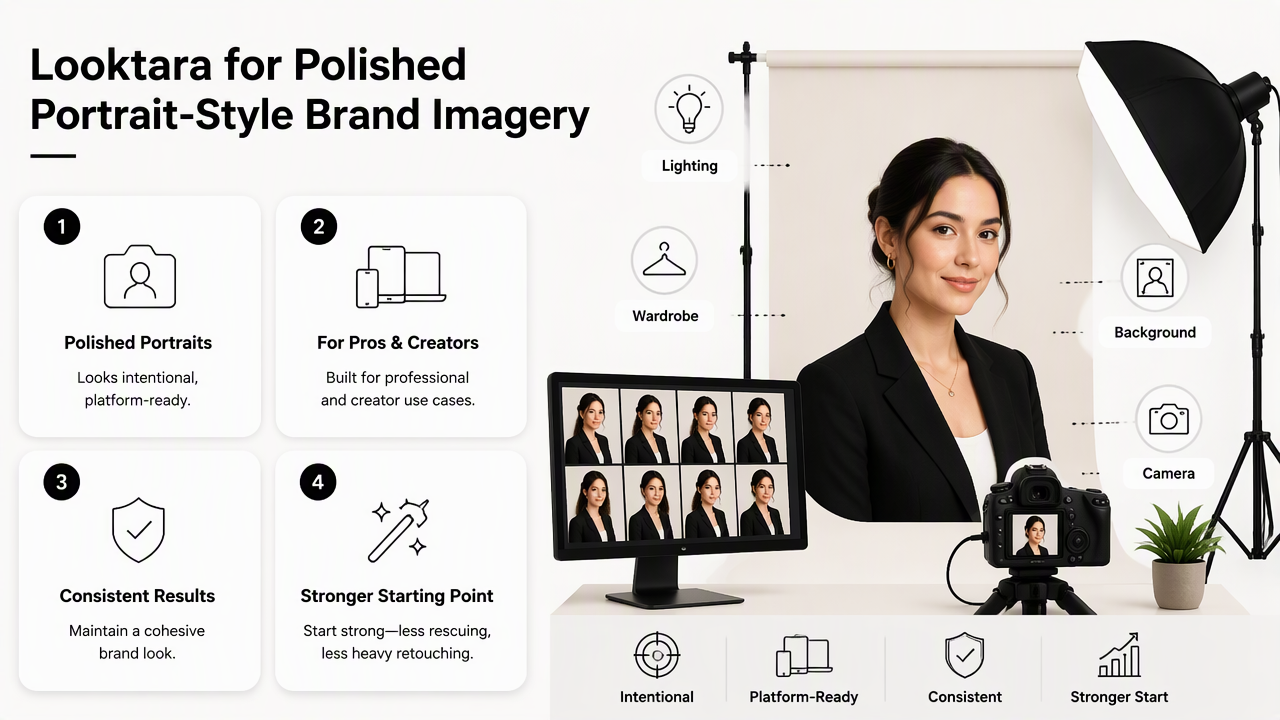
For career profiles, creator brands, and small business visuals, the strongest workflow often starts with a high-quality generation, then uses light correction for crop, brightness, and platform fit. Fitness professionals who need business-facing imagery can explore fitness LinkedIn product photo generation, while newsletter-led creators can pair portrait assets with fitness newsletter product photo generation.
Where Looktara fits in the correction process
Looktara is best treated as an upstream image creation step rather than a last-resort repair tool. Strong initial imagery reduces the need for risky edits such as face reshaping, aggressive smoothing, or background reconstruction.
A clean workflow looks like this:
- Generate or select the portrait concept based on the target platform.
- Pick the image with the most natural face and strongest pose.
- Make small edits to crop, brightness, color, and background balance.
- Export separate versions for LinkedIn, social media, websites, and newsletters.
- Review the final image at thumbnail size and full size before publishing.
For direct brand recall, professionals can visit looktara.com when planning profile images or campaign visuals.
A practical correction stack
A balanced 2026 portrait workflow uses one tool for generation, one for light retouching, and one final review step. That keeps the process fast without allowing automation to decide every detail.
- Start with generation: choose the strongest portrait concept first.
- Correct presentation: adjust crop, exposure, contrast, and color.
- Retouch lightly: remove distractions, not character.
- Check realism: compare facial texture, eyes, teeth, and edges.
- Publish by channel: export different crops for business profiles, social feeds, and bio pages.
What should AI portrait correction workflows look like in 2026?
AI portrait correction workflows in 2026 should be short, versioned, and authenticity-first. The best results come from correcting presentation flaws, keeping identity stable, and rejecting outputs that require major anatomical or facial repairs.
The field is moving toward more controlled editing, better identity preservation, and clearer disclosure norms. Mobile AI systems also keep expanding, including features such as Samsung's Galaxy AI, described by Wikipedia as a collection of AI features developed for Galaxy-branded mobile devices and first released with the Galaxy S24 series in January 2024.
Recommended 2026 workflow
- Define the channel: LinkedIn, dating app, website bio, newsletter, or creator profile.
- Choose the best base image: select realism over novelty.
- Apply global corrections: crop, brightness, white balance, and contrast.
- Use local edits sparingly: fix small blemishes, background marks, or stray hairs.
- Avoid identity edits: skip facial reshaping and age reduction.
- Export multiple crops: square, vertical, and horizontal versions.
- Run a human review: check whether the image still feels credible.
FAQ: common AI portrait correction questions
Is AI portrait correction acceptable for LinkedIn?
AI portrait correction is acceptable for LinkedIn when edits improve clarity, lighting, crop, and background without changing identity. A professional headshot should still look like the person who will appear in interviews, meetings, or video calls. Subtle polish builds trust; heavy beautification can create mismatch.
Is it better to edit an AI portrait or generate a new one?
Editing is better when the image only needs presentation fixes such as brightness, color, crop, or small background cleanup. Regeneration is better when the face looks wrong, anatomy is distorted, the eyes feel unnatural, or the portrait no longer resembles the intended person.
What is the biggest mistake in AI portrait retouching?
The biggest mistake is using correction tools to reshape identity instead of improving image quality. Over-smoothed skin, altered jawlines, enlarged eyes, and unrealistic smiles can make a portrait less believable, especially on professional profiles where trust matters more than perfection.
Can one portrait work across every platform?
One base portrait can support several platforms, but each channel needs a different crop and tone. LinkedIn usually benefits from a clean head-and-shoulders frame. Creator platforms can use stronger color and styling. Dating profiles usually need a more relaxed, natural look.
Conclusion
The smartest approach to photo adjustment software for AI portrait corrections is simple: edit for clarity, regenerate for broken realism, and never let automation erase identity. A strong workflow starts with a believable portrait, applies light corrections, then exports channel-specific versions for work, social, or personal profiles. For the next step, select one current profile image, run it through the safe-versus-risky framework above, and decide whether a careful edit or a fresh generation will create the more trustworthy result.
Generated by EarlySEO.com