
TL;DR
The strongest AI headshot looks like the real person, fits the target platform, and avoids obvious synthetic cues. Score each image for face accuracy, eyes, expression, crop, clothing, background, and purpose before using it on LinkedIn, a resume, a newsletter, or a dating profile.
A polished headshot can earn trust in seconds, but a polished image that looks slightly fake can do the opposite. AI headshot: a computer-generated or AI-enhanced portrait created from uploaded photos, usually designed for professional profiles, social media, resumes, websites, or dating apps. Knowing how to choose the best AI headshot matters because the final decision still needs human judgment. Modern image systems can generate convincing portraits, and research such as Visual Instruction Tuning shows how fast multimodal AI has improved at connecting visual details with human instructions. Still, the winning image is not the fanciest one. It is the one that feels accurate, confident, platform-ready, and believable. Looktara helps turn that decision into a practical selection process rather than a guessing game.
Table of Contents
How to choose the best AI headshot?
How to choose the best AI headshot comes down to scoring the image for identity match, eye contact, expression, lighting, clothing, background, crop, and platform fit. The best choice should look like a natural, current version of the person, not an over-edited portrait or a generic corporate avatar.
A useful first pass is simple: remove any image that would surprise someone who meets the person in real life. Face shape, age range, hairline, skin texture, teeth, glasses, and facial hair should stay consistent enough that the photo feels trustworthy.
Key insight: the best AI headshot is not the most glamorous output. It is the image that creates the least doubt.
For LinkedIn, resumes, and speaker pages, a headshot should signal competence without looking stiff. For creator profiles, newsletters, and dating apps, warmth and personality matter more. A strong photo matches both the person and the context.
Quick decision order for selecting a final image
- Check identity first: reject images with altered facial structure, wrong eye shape, changed age, or unfamiliar features.
- Check trust signals: keep images with direct eye contact, relaxed expression, and natural skin texture.
- Check purpose: match the photo to LinkedIn, resumes, websites, newsletters, social media, or dating apps.
- Check technical quality: inspect crop, sharpness, lighting, background, and clothing.
- Check realism at full size: zoom in on hands, ears, teeth, glasses, hair edges, and collars.
- Pick the image that feels current: avoid overly formal, outdated, or overly stylized options.
The 100-point AI headshot scoring checklist
A 100-point checklist turns subjective taste into a repeatable way to pick the strongest AI headshot. The highest-scoring image should be accurate enough for recognition, polished enough for professional use, and specific enough for the platform where it will appear.
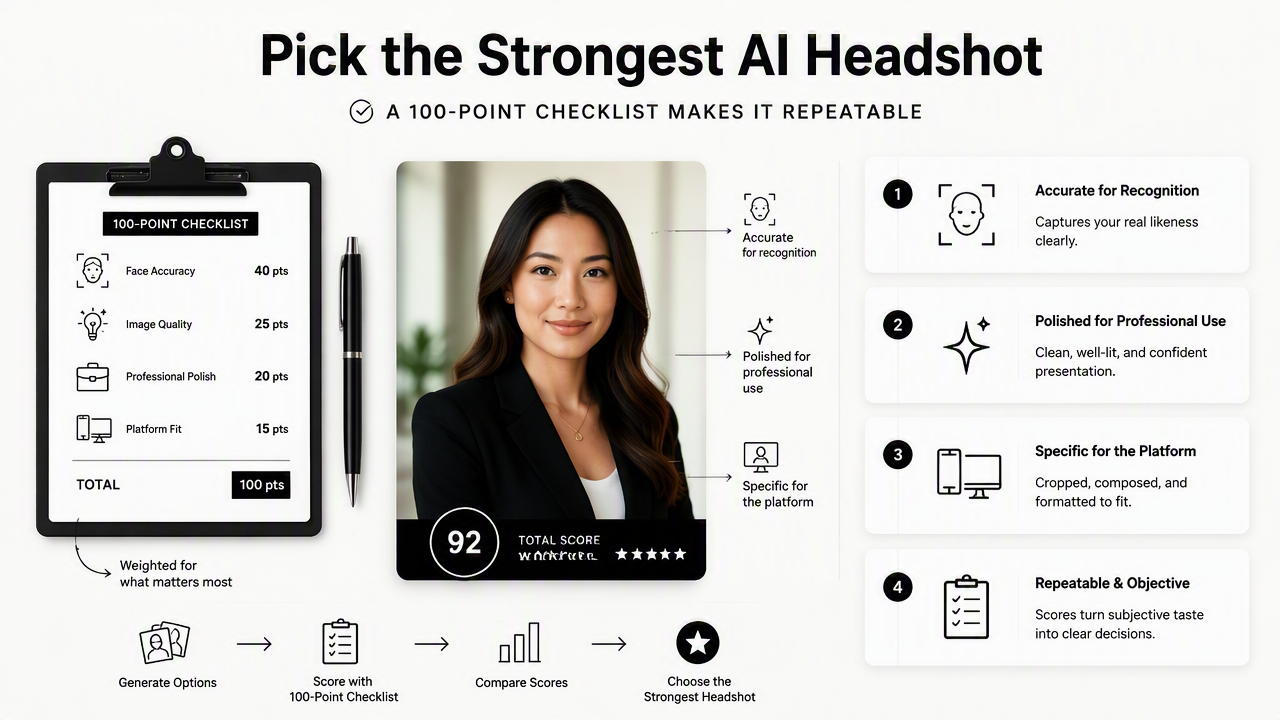
The checklist below gives heavier weight to face accuracy and expression because those two factors shape trust fastest. Background and clothing matter, but they should support the person rather than become the main event.
Scoring table for AI headshot outputs
| Criterion | Points | What a strong image shows | Red flag |
|---|---|---|---|
| Face accuracy | 25 | Same face shape, age range, skin tone, hair, and features | Looks like a different person |
| Eye contact | 15 | Clear eyes facing the viewer or slightly off-camera with intent | Uneven eyes, dead stare, or distorted pupils |
| Expression | 15 | Relaxed confidence, friendly mouth, natural cheeks | Forced smile, blank face, or exaggerated emotion |
| Lighting and skin texture | 10 | Soft light, real skin detail, no waxy finish | Plastic skin or harsh shadows |
| Background | 10 | Clean, credible setting that matches the use case | Fake office, messy scene, odd depth blur |
| Clothing | 10 | Outfit fits the role, industry, and personal brand | Warped collar, strange buttons, wrong style |
| Crop and composition | 10 | Head and shoulders framed cleanly, enough space around face | Cut-off head, tiny face, awkward angle |
| Platform fit | 5 | Works at small size on LinkedIn, resumes, sites, or apps | Only looks good when enlarged |
A score above 85 usually means the image is ready for a public profile after a final realism check. A score from 70 to 84 may work for casual use but needs careful review. Anything below 70 should usually be replaced, not edited into shape.
Platform-specific score adjustments
- LinkedIn and resume profiles: prioritize face accuracy, eye contact, crop, and business-appropriate clothing.
- Company websites and founder pages: give extra weight to brand consistency, background, and expression.
- Newsletters and creator bios: favor warmth, recognizability, and a less formal crop.
- Dating apps: choose authenticity, relaxed expression, and natural lighting over corporate polish.
- Fitness or wellness profiles: match clothing and energy to the niche; a fitness LinkedIn and resume headshot generator can help align a professional image with an active personal brand.
A profile photo seen in a tiny circle needs stronger eye contact and cleaner contrast than a large website portrait. That small-size test is easy to miss, but it often decides whether the image feels sharp or forgettable.
What makes an AI headshot look authentic?
An AI headshot looks authentic when the face, expression, light, clothing, and setting all belong to the same believable moment. Realism is not only about high resolution; it is about small details agreeing with each other.
Multimodal research keeps moving quickly. The Gemini 1.5 technical report describes advances in understanding long, mixed inputs that include visual information, which reflects the broader direction of AI systems in 2026. Better models can produce more coherent portraits, but human review still catches social nuance better than automation alone.
Authenticity also depends on audience expectations. A venture-backed founder photo, a therapist profile, and a fitness newsletter bio should not all look the same. For niche brand imagery, a fitness newsletter and resume headshot generator can be a better match than a generic boardroom style.
Realism checks before publishing
- Eyes: pupils should point in the same direction, reflections should look natural, and eyelids should not appear mismatched.
- Teeth and smile: teeth should not merge, repeat, or appear too uniform.
- Glasses: frames should be even, transparent areas should make sense, and reflections should not hide the eyes.
- Hair: hair edges should not melt into the background or form strange strands.
- Clothing: collars, buttons, zippers, logos, and lapels should follow real structure.
- Background: lighting on the face should match the environment.
A strong headshot survives a two-step test: it looks good at thumbnail size and still looks real when enlarged. If either test fails, the image may reduce trust even if the overall style looks appealing.
Expression and eye contact decide first impressions
Expression should match the intended impression. A slight smile often works well for job seekers, consultants, freelancers, and entrepreneurs because it combines approachability with confidence. A serious expression can work for executives, legal professionals, and editorial profiles, but only when the eyes still feel engaged.
Eye contact should feel intentional, not intense. Direct eye contact is often best for LinkedIn and resumes. Slightly off-camera eye direction can work for speaker pages, creator websites, and editorial bios, where the image can feel more natural and less posed.
How the Looktara platform fits the selection workflow
The Looktara platform fits the AI headshot workflow by helping professionals generate profile-ready options, then choose the image that best matches role, platform, and personal brand. The strongest use case is not simply producing many portraits; it is narrowing them to a believable final image.
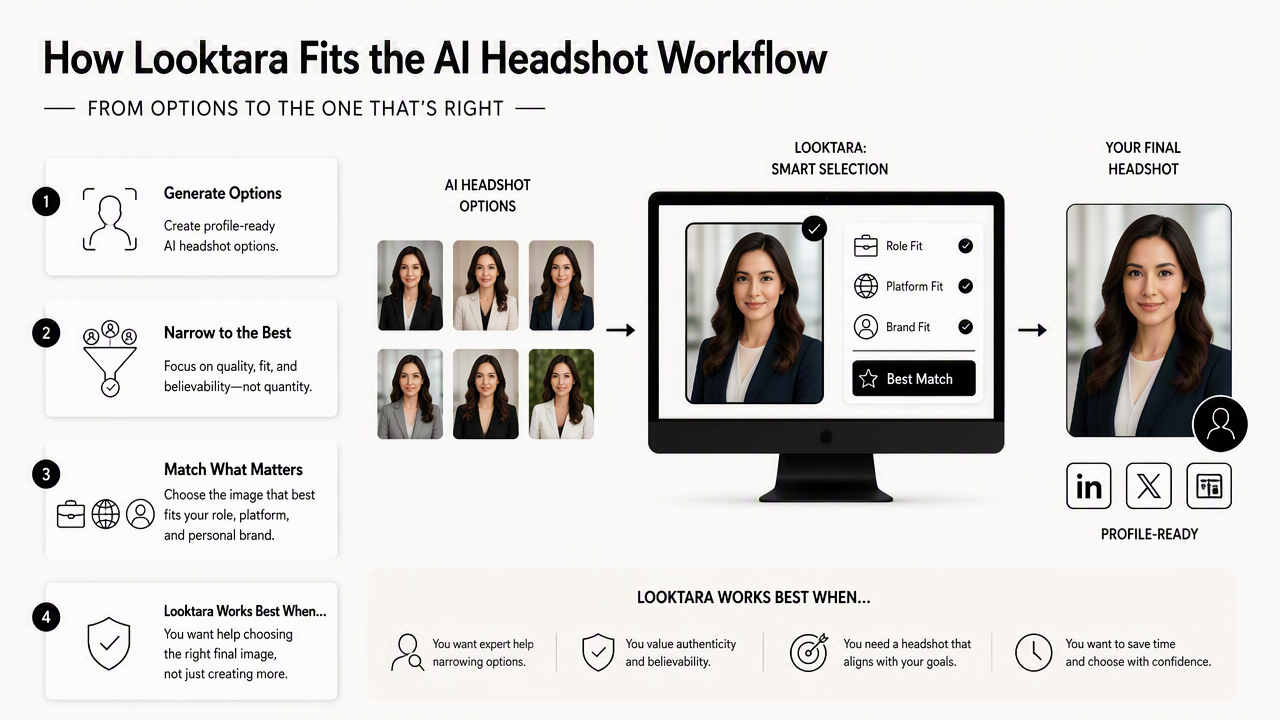
Looktara works best when the source photos show the person clearly across a few angles, lighting conditions, and expressions. Better inputs usually give the selection process more usable options, especially for professional profiles where face accuracy matters more than dramatic styling.
A practical selection process can use three passes. First, remove inaccurate faces. Second, score the remaining outputs with the checklist. Third, compare the top two or three images in the exact place they will appear, such as a LinkedIn profile circle, resume header, founder page, or newsletter bio.
Professionals comparing options can visit looktara.com when the goal is a polished headshot set without booking a studio session. The best final pick should still be reviewed by a human, ideally someone who knows the person well enough to spot identity drift.
Who should prioritize which headshot style
| Person or use case | Best style | What to avoid |
|---|---|---|
| Job seeker | Clean background, direct eye contact, neutral business clothing | Overly stylized fashion lighting |
| Entrepreneur | Confident expression, brand-matched outfit, polished setting | Generic corporate stock-photo look |
| Freelancer or remote worker | Friendly, competent, modern crop | Casual image that feels unprepared |
| Creator or influencer | Distinctive but realistic style, warm expression | A look that hides recognizability |
| Dating app user | Natural light, relaxed smile, authentic styling | Corporate headshot energy |
The safest choice is usually the image that would make sense both online and in person. If a headshot creates a stronger version of the person without changing identity, it is doing the job.
AI headshot FAQ
AI headshot questions usually focus on realism, professional use, and how many generated options should be reviewed. The answers below give practical rules for selecting an image that looks credible in 2026.
What is the best AI headshot for LinkedIn?
The best AI headshot for LinkedIn has accurate facial features, direct eye contact, a clear head-and-shoulders crop, and clothing that fits the person's field. A neutral or softly blurred background usually works best. The image should remain recognizable at small profile size and should not look heavily retouched.
How many AI headshots should be compared before picking one?
A practical selection set is usually 10 to 30 outputs, narrowed down in stages. First remove images with identity or anatomy issues. Then score the strongest options using the 100-point checklist. The final two or three should be tested in the target platform before one image is chosen.
Can an AI headshot be used on a resume?
An AI headshot can be used on a resume when headshots are appropriate for the region, industry, and role. The image should be conservative, accurate, and cleanly cropped. In markets where resume photos are uncommon, the same headshot may be better used on LinkedIn, a portfolio, or a personal website.
What AI headshot mistakes hurt trust the most?
The biggest trust issues are face inaccuracy, unnatural eyes, waxy skin, distorted teeth, fake-looking backgrounds, and clothing details that do not make physical sense. Overly perfect images can also feel suspicious. A believable photo with minor human texture often performs better than a flawless but synthetic-looking portrait.
Conclusion
Choosing a final AI portrait should feel like a quality-control process, not a beauty contest. The clearest path is to reject inaccurate faces, score the realistic options, test the best image at platform size, and pick the version that feels current, credible, and recognizably human.
For anyone deciding how to choose the best AI headshot in 2026, the 100-point checklist offers a simple standard: identity first, expression second, polish third. As AI imagery improves into 2027, the difference between average and excellent headshots will depend even more on judgment, context, and brand fit. For a practical next step, professionals can create a shortlist with Looktara, compare the top options against the checklist, and head to looktara.com when ready to update a profile with confidence.
Generated by EarlySEO.com