
TL;DR
Headshot Kiwi is the stronger pick for realistic professional headshots, while ProfilePicture.ai fits broader social and creative profile imagery. Job seekers, founders, and freelancers should prioritize realism and download usefulness; creators and dating app users may value casual style variety more.
AI headshots have moved from novelty to normal profile maintenance, but the right tool depends on the platform being updated. Headshot Kiwi vs ProfilePicture.ai is mainly a choice between business-first realism and broader profile-photo variety. For readers comparing both with a warmer, profile-ready alternative, Looktara is also relevant for polished images across career, creator, and personal branding use cases.
Table of Contents
What is the practical difference between the two tools?
Headshot Kiwi focuses more on realistic professional headshots, while ProfilePicture.ai is better understood as a broader AI profile picture generator with many style directions. The best choice depends on whether the image must look like a believable LinkedIn, resume, or founder photo, or a more stylized social profile image.
AI headshot generator: software that uses uploaded source photos to create new portrait images for professional profiles, personal branding, websites, social platforms, or dating apps.
Competitor research for this query shows strong interest in realism, artifacts, upload instructions, and speed. One top-ranking result specifically described Headshot Kiwi outputs as closer to actual photos with fewer odd artifacts, while another 2026 result noted that clear upload instructions can reduce output defects. Those two signals matter because AI portraits fail most often when the face, lighting, or pose stops looking natural.
Key insight: A polished AI headshot is not the same as a good-looking AI image. Professional use demands likeness, believable lighting, useful crops, and clothing that fits the setting.
Feature comparison at a glance
| Category | Headshot Kiwi | ProfilePicture.ai | Best fit |
|---|---|---|---|
| Main use case | Professional headshots | Profile pictures across many styles | Headshot Kiwi for work profiles, ProfilePicture.ai for variety |
| Output realism | Often positioned around photo-like business portraits | More style-flexible, which can mean less conservative results | Headshot Kiwi |
| Professional styles | Stronger fit for LinkedIn, resumes, teams, and founders | Usable, but broader than strictly corporate | Headshot Kiwi |
| Casual profile options | More limited by professional focus | Stronger range for social and creative looks | ProfilePicture.ai |
| Source-photo flexibility | Clear uploads matter for better likeness | Also depends heavily on varied, high-quality selfies | Tie |
| Pricing confidence | Check current plan details before purchase | Check current plan details before purchase | Tie |
| Download usefulness | Best judged by crop sizes, quantity, and licensing | Best judged by social platform formats | Depends on channel |
Which tool looks more realistic for professional use?
Headshot Kiwi is the safer realism-first choice for professional use because its market positioning and reviewed outputs lean toward believable headshots rather than heavily stylized profile art. ProfilePicture.ai can still work for business profiles, but style variety may require stricter selection to avoid images that feel too synthetic or casual.
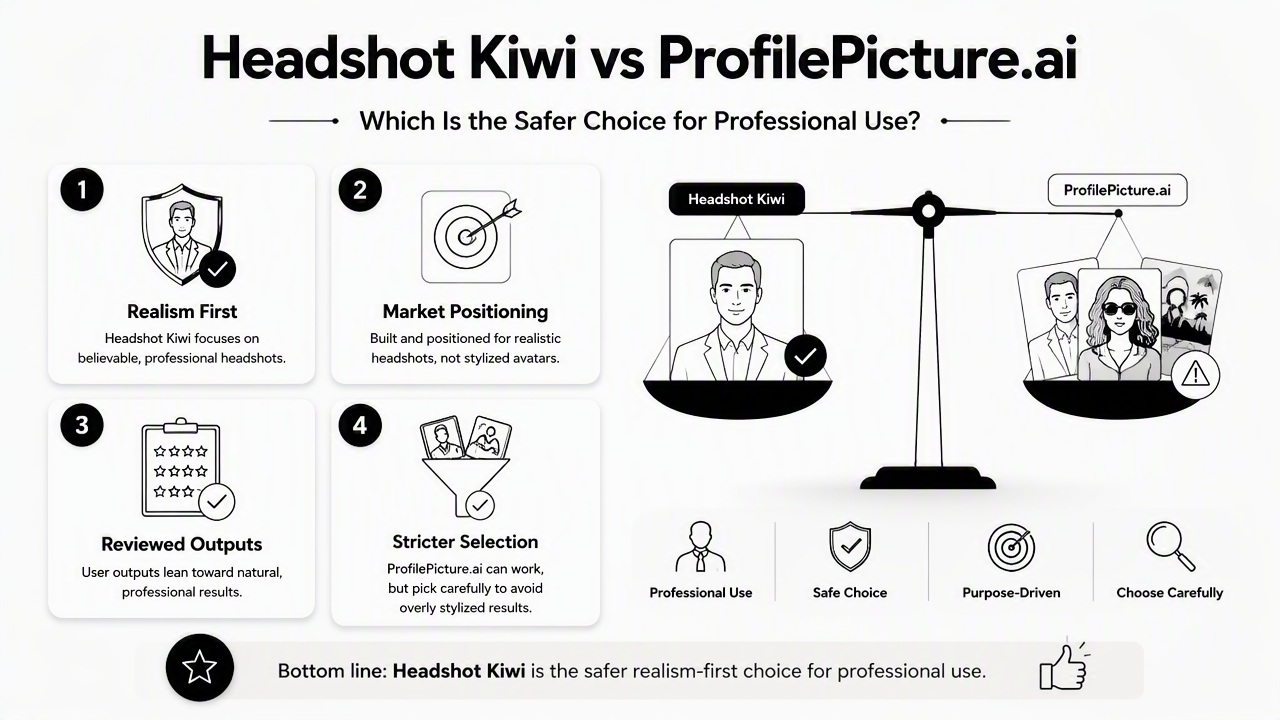
Realism matters most when the image appears beside a real name, role, company, or client-facing offer. A recruiter, hiring manager, investor, or prospective client is not looking for an artistic portrait first. The photo needs to create trust fast.
Good professional AI headshots usually share four traits:
- Face consistency: the image still looks like the person in the source photos.
- Natural skin texture: skin should not look waxy, blurred, or overly retouched.
- Believable lighting: shadows and highlights should match a real studio setup.
- Appropriate wardrobe: clothing should suit the profile context, such as a blazer, knit top, shirt, or simple professional layer.
Headshot Kiwi appears stronger for people who want fewer decisions and a more work-ready direction. ProfilePicture.ai is more attractive when the image set can include creative, colorful, or social-first versions.
The Looktara platform fits users who want polished portraits without making the photo feel stiff. That matters for remote professionals, creators, and founders who need images that feel current but still credible.
Realism checks before using any AI portrait
A useful review process should happen before any image becomes a profile photo:
- Compare the eyes, smile, jawline, and face shape against recent real photos.
- Zoom in on teeth, glasses, earrings, collars, and fingers if hands appear.
- Check whether the background looks like a real place rather than a vague blur.
- Test the image as a small circle crop, since LinkedIn and social apps shrink profile photos.
- Reject any image that looks impressive at first glance but feels unlike the person after five seconds.
For career-specific profile updates, LinkedIn and resume headshot generation is the more natural next step than picking an artistic style pack.
Which platform fits each user type?
Headshot Kiwi fits job seekers, founders, and freelancers who need credible professional imagery, while ProfilePicture.ai fits creators and dating app users who want more casual or expressive options. The strongest pick changes by channel, not by the tool name alone.
The SERP for this comparison contains 18,400,000 results, which signals a crowded decision space. That makes simple recommendations more useful than long feature lists. A person updating a resume has a different standard than a creator refreshing a channel avatar or a dating app user trying to look approachable.
Decision rule: Match the generator to the highest-stakes place the image will appear. A board bio, LinkedIn profile, or client proposal needs restraint; a creator profile can tolerate more personality.
Quick recommendation by audience
| User type | Better default choice | Why it fits | Watch for |
|---|---|---|---|
| Job seeker | Headshot Kiwi | More aligned with realistic hiring and LinkedIn photos | Avoid images that over-edit age or facial structure |
| Founder | Headshot Kiwi | Better for investor decks, About pages, and press bios | Select a confident but not overly formal style |
| Creator | ProfilePicture.ai | More room for color, themes, and personality | Keep one image realistic for brand trust |
| Freelancer | Headshot Kiwi | Strong fit for proposals, marketplaces, and websites | Choose crops that work on small profile cards |
| Dating app user | ProfilePicture.ai | Casual styles can feel less corporate | Avoid images that look too perfect or fake |
Use-case notes for business and creator profiles
Founders often need one polished portrait that works across a website, pitch deck, Shopify store, and speaker bio. A page focused on Shopify resume-style headshots fits that commercial-branding need better than a random creative avatar.
Creators and newsletter operators usually need a softer balance. A face on a byline, email header, or media kit should look friendly, but not fake. For that use case, newsletter-ready headshot imagery can support a more personal publishing presence.
Visual-first creators may care more about color harmony and platform consistency. A Pinterest bio, board cover, or creator profile can handle more personality than a resume. For that channel, Pinterest profile headshot generation is a practical option.
What should buyers check before paying in 2026?
Buyers should check source-photo rules, style control, delivery time, refund terms, download sizes, and commercial-use permissions before paying for an AI headshot tool. Pricing alone is a weak comparison point because the useful value comes from how many realistic, usable images survive review.
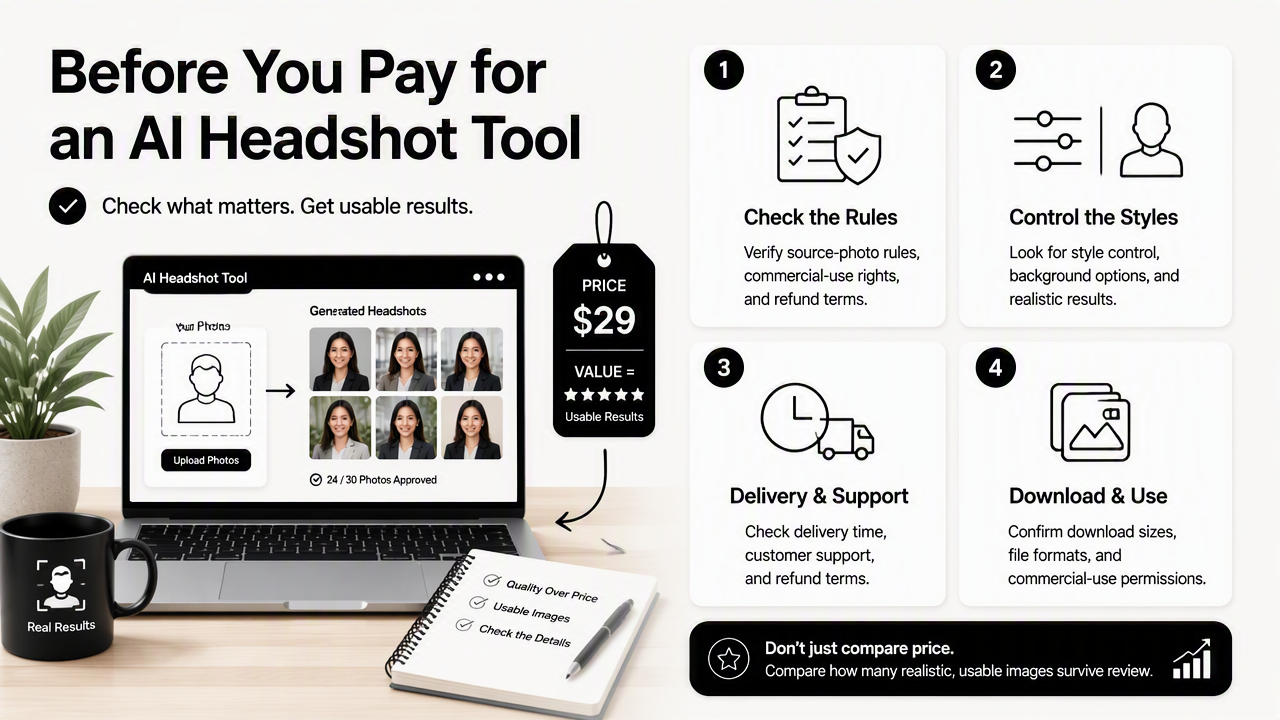
AI portrait tools can look similar on landing pages. The real difference appears after upload quality, style choice, and final download limits interact. A low-cost package is not a bargain if only one image looks usable.
The smartest pre-purchase checklist is short:
- Source-photo requirements: enough clear, recent photos with varied angles and lighting.
- Style previews: examples that match the intended platform, not just dramatic samples.
- Download formats: high-resolution files plus crops that work for circles and square avatars.
- Usage rights: permission for LinkedIn, websites, resumes, press kits, or commercial profiles.
- Revision or refund policy: a clear path if likeness or quality misses expectations.
- Privacy terms: transparent handling of uploaded face images and generated outputs.
Download usefulness deserves special attention. A great portrait that crops awkwardly on LinkedIn, Slack, Gmail, or a dating app is less valuable than a simpler image with clean framing.
Common mistakes that reduce output quality
Several preventable choices cause weak AI headshots:
- Uploading old photos that no longer match the person.
- Mixing facial hair, hairstyles, or glasses across source images.
- Choosing heavy glam, fashion, or fantasy styles for business profiles.
- Ignoring small artifacts because the full-size image looks attractive.
- Using the same portrait everywhere, even when each platform has a different tone.
Headshot Kiwi and ProfilePicture.ai both depend on input quality. Better selfies usually produce better outputs, regardless of the generator.
FAQ
The most common questions about these two tools center on realism, use cases, pricing checks, and whether AI headshots are acceptable for professional profiles in 2026.
Is Headshot Kiwi better than ProfilePicture.ai for LinkedIn?
Headshot Kiwi is generally the better default for LinkedIn because the tool is more closely associated with professional headshot results. LinkedIn photos need believable lighting, accurate likeness, and conservative styling. ProfilePicture.ai can still work when a restrained style is selected, but its broader creative range requires more careful filtering.
Is ProfilePicture.ai better for casual profile photos?
ProfilePicture.ai is usually a better fit for casual profile photos because it supports a wider range of profile-picture styles. That flexibility can help creators, social users, and dating app users test different looks. The tradeoff is that some outputs may feel less like a traditional professional photo.
Can AI headshots replace a studio photographer?
AI headshots can replace a studio session for many online profiles, especially when speed and cost matter. A studio photographer still has advantages for executive campaigns, press features, team-wide brand systems, and highly controlled lighting. For routine LinkedIn, resume, creator, or freelancer updates, AI tools are often practical.
How many source photos should be prepared?
Most AI headshot workflows perform better with several recent, clear photos showing varied angles, expressions, and lighting. Exact requirements differ by platform, so the current upload instructions should be checked before purchase. Consistent hair, glasses, and facial hair across images usually helps the final set look more accurate.
Which tool is best for dating app photos?
ProfilePicture.ai is the stronger default for dating app photos because casual and expressive styles matter more than corporate polish. Still, dating photos should look authentic. A headshot that appears too edited, too formal, or too different from real-life appearance can reduce trust rather than improve first impressions.
Conclusion
For most career and business needs, Headshot Kiwi vs ProfilePicture.ai tilts toward Headshot Kiwi when realism and professional trust matter most. ProfilePicture.ai makes more sense when style range, casual personality, and social-first imagery carry more weight.
A practical next step is simple: define the main channel first, then choose the tool. LinkedIn, resumes, founder bios, and freelance profiles should prioritize believable headshots. Creator pages, Pinterest profiles, and dating apps can allow more expression. For a polished alternative built around modern profile imagery, head to looktara.com and create a set that matches the actual platform where the photo will appear.
Generated by EarlySEO.com