
TL;DR
CVS is the safer pick when printed, in-store passport photos are needed quickly with minimal setup. AI passport photo tools are usually faster for digital files, retakes, visa formats, and profile-adjacent images, but applicants still need to verify official requirements before submitting.
A passport photo looks simple until a small shadow, wrong crop, or noncompliant background delays an application. The CVS passport photo vs AI passport photo tools decision now comes down to risk tolerance: CVS offers a familiar in-store workflow, while online tools offer speed, flexibility, and digital reuse. For career photos beyond official IDs, Looktara and its resume headshot AI generator fit the professional-profile side of the same photo problem.
Passport photo tool: A passport photo tool is a service that crops, sizes, checks, or edits a face photo to match official document-photo rules, often including background, head position, and print-size guidance.
Table of Contents
What is the real difference between CVS and AI passport photo tools?
CVS passport photos are an in-store retail service, while AI passport photo tools are digital workflows that create, crop, or validate document-style photos from an uploaded image.
CVS is built for people who want printed copies without learning photo rules. AI tools are built for people who want more control, digital delivery, multiple retakes, or formats for passports, visas, IDs, and professional profiles.
Key insight: CVS reduces setup work, while AI tools reduce travel, waiting, and repeat-photo friction.
Comparison table for CVS, AI tools, and professional image needs
| Factor | CVS passport photo | AI passport photo tools | Best fit |
|---|---|---|---|
| Price | SERP research lists CVS at $16.99 for two printed copies, with some results noting a $3.99 digital add-on | Varies by provider, often digital-first | CVS for simple print needs, AI for files and retakes |
| Turnaround | Usually same visit when a photo counter is available | Often minutes after upload | AI for speed, CVS for local pickup |
| Retakes | Limited by staff time and store workflow | Usually easier because images can be re-uploaded | AI for picky cropping and expression checks |
| Compliance | Staff follows common passport-photo rules | Tool checks depend on provider quality | CVS for low-tech confidence, AI for format variety |
| Digital file | May cost extra or be less central to the service | Core output | AI for online applications and archives |
| Profile-photo reuse | Often too plain for LinkedIn, founder pages, or dating apps | Can support more polished variants if designed for that use | AI for personal branding |
CVS behaves like a transaction: visit a store, stand for the photo, pay, leave with prints. AI tools behave like a workflow: upload a suitable image, review the crop, download a file, then print or submit as needed.
The main risk is not technology. The main risk is submitting a photo that fails the official rules for the exact document type.
When is CVS the safer choice for official documents?
CVS is the safer choice when printed U.S.-style passport photos are needed fast and the applicant prefers an in-person service over a self-guided upload.
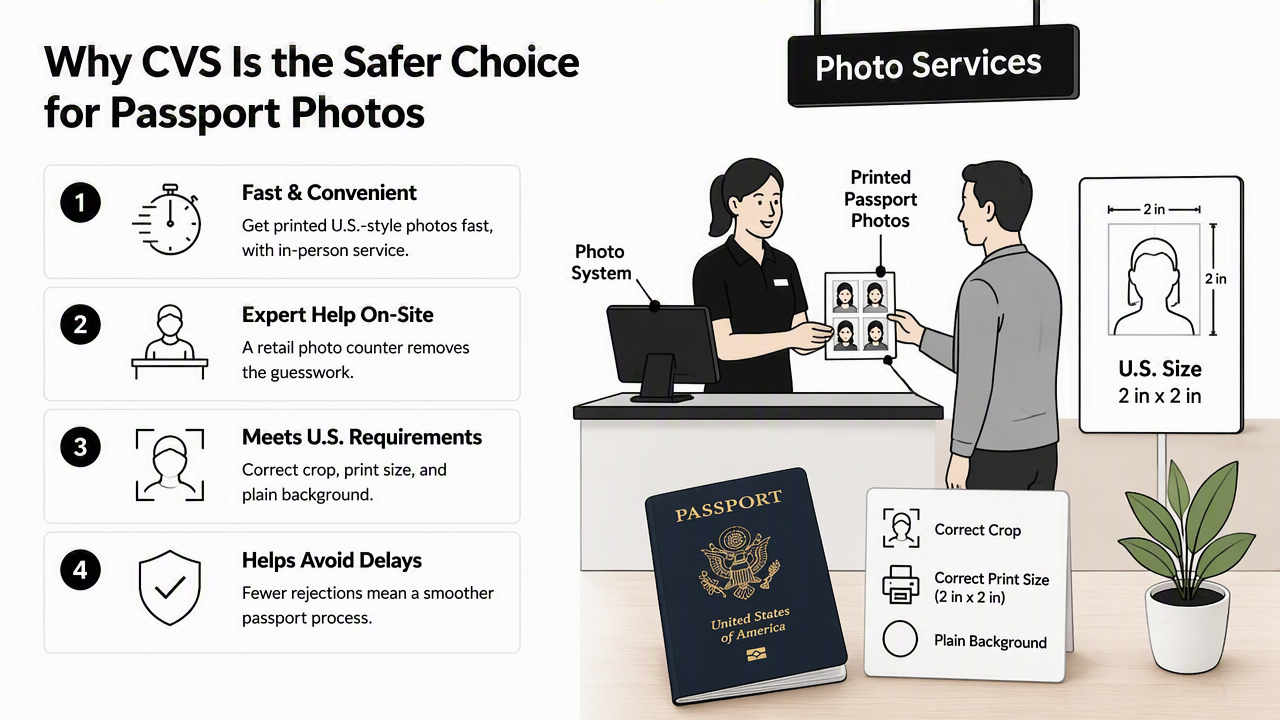
A retail photo counter helps remove common decisions: where to crop, how large the print should be, and whether the background looks plain enough. That matters for travelers, families, and anyone uncomfortable preparing an official image alone.
CVS also works well when the application packet requires physical photos. A person can leave with two prints, which is still useful for many paper-based situations.
CVS works best for these situations
- Printed passport applications: Physical copies are needed immediately.
- Low-tech workflows: No file upload, app download, or home printer is involved.
- Simple U.S. passport needs: Standard sizing is the main goal.
- Last-minute errands: A nearby CVS can be faster than booking a photographer.
- One-time use: No interest in using the photo for LinkedIn, resumes, or content profiles.
CVS is less flexible when the photo must serve multiple purposes. A passport image is intentionally neutral, so it may look too flat for a resume, pitch deck, website bio, or creator profile. Entrepreneurs often need a more brand-aware image, then a tool such as a pitch deck slide AI generator can support the presentation layer after the ID task is done.
Official documents also have country-specific rules. A U.S. passport photo is not automatically correct for every visa, residency card, school ID, or professional license.
When do AI passport photo tools make more sense?
AI passport photo tools make more sense when a digital file, repeated retakes, multiple document formats, or a profile-ready image workflow matters more than in-store convenience.
Online tools are strongest when the starting photo is good: sharp face, even lighting, neutral expression, and no heavy shadows. From there, software can help crop, size, and prepare outputs without a store visit.
PhotoAid, identified in the research data as a Polish biometric-passport software company founded in 2012, is one example of this wider category. The field also includes newer AI photo editors, ID-photo checkers, and professional headshot platforms.
How to use an AI passport photo tool safely
- Start with a clear, front-facing image taken in even light.
- Select the exact document type, country, and size before editing.
- Avoid beauty filters, face reshaping, heavy smoothing, or expression changes.
- Review the crop against the issuing authority's current rules.
- Download the digital file and keep the original image as a backup.
- Print only at the required size, not as a casual photo print.
AI tools can also create better non-passport assets from the same general photo session. A job seeker may need a neutral document photo plus a warmer LinkedIn image, while a creator may need profile, banner, and cover formats. Related tools such as a LinkedIn post AI generator or TikTok cover AI generator help adapt a personal brand image across channels.
Privacy deserves attention because passport-style images are biometric data in practice. A 2025 paper in Sensors reviewed secure authentication mechanisms for mobile security, highlighting why identity workflows need careful handling of user data and device security: Hasan, Ghani, and Daud, 2025.
How does Looktara fit professional photo needs?
Looktara fits the professional-photo side of the decision, especially when the same person also needs polished images for resumes, LinkedIn, websites, and creator profiles.
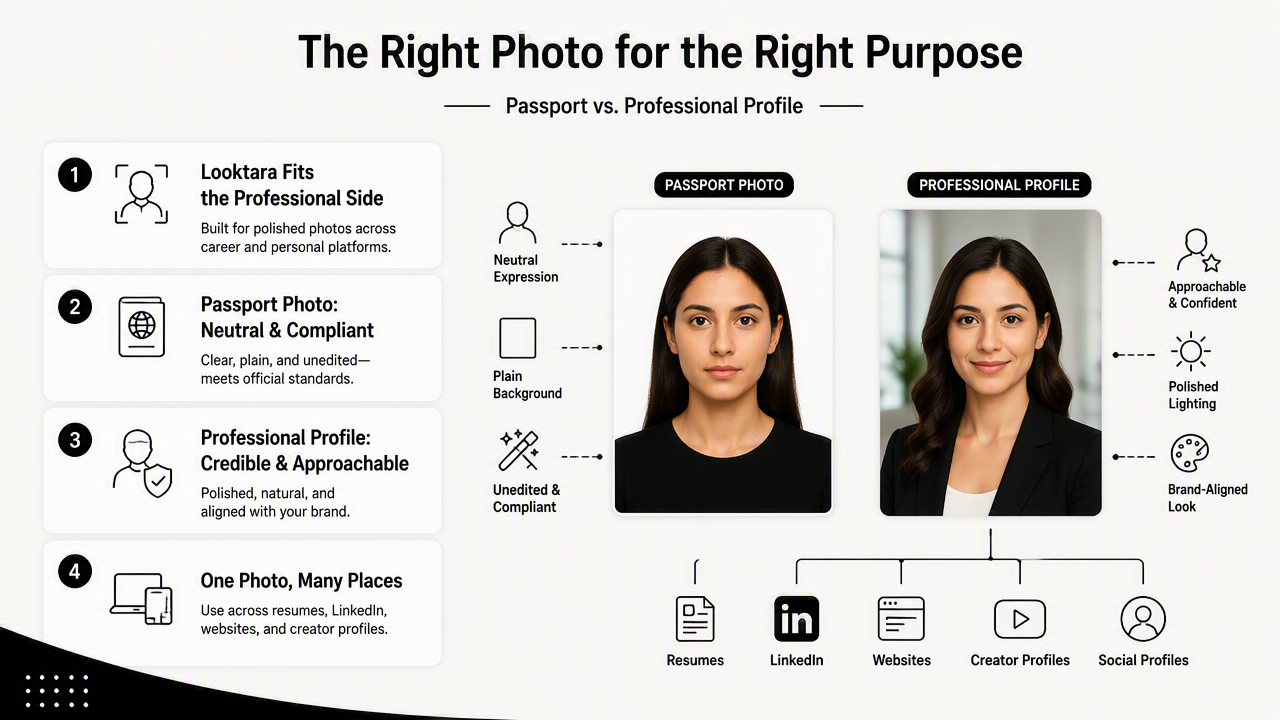
A passport photo should look neutral, compliant, and unedited. A professional profile image should look credible, approachable, and brand-aligned. Those goals overlap, but they are not identical.
The Looktara platform is better understood as a profile and brand-image tool rather than a replacement for checking official passport rules. For founders, freelancers, and content creators, looktara.com can support the public-facing image work that CVS-style passport photos do not try to solve.
Best use cases by photo goal
| Photo goal | Better option | Reason |
|---|---|---|
| Printed U.S. passport photos | CVS | In-store prints and a simple retail process |
| Digital visa or ID file | AI passport tool | Faster format changes and download access |
| Resume or LinkedIn headshot | Looktara or similar headshot tool | More professional styling than passport photos |
| Founder bio or website hero | AI brand-image workflow | More control over tone, crop, and layout |
| Dating app or creator profile | AI profile-photo workflow | More natural expression and platform fit |
A passport image usually should not double as a main business photo. Neutral lighting and a plain expression help official review, but they can make a person look stiff on a homepage or sales page. A website hero AI generator can place a stronger personal image into a branded layout after the official-photo need is handled.
Fairness also matters in AI image systems. A SpringerBriefs chapter on unfair and illegal discrimination by Stahl, Schroeder, and Rodrigues examined discrimination risks in technology governance: Springer, 2022. For identity-adjacent photos, tools should avoid altering facial identity, skin tone, age cues, or other sensitive traits.
What should applicants check before choosing a photo option?
Applicants should choose based on the document's rules, delivery format, deadline, privacy comfort, and whether the image also needs to support a professional profile.
The safest workflow is practical: use CVS for straightforward printed passport photos, use AI tools for digital flexibility, and use professional image tools for brand presence. Mixing those purposes without checking rules creates avoidable risk.
Decision checklist before paying
- Document type: Passport, visa, license, school ID, or work badge.
- Submission format: Printed copies, digital upload, or both.
- Deadline: Same-day store visit versus instant file creation.
- Retake needs: One quick photo versus several attempts.
- Privacy comfort: Local retail capture versus online upload.
- Profile reuse: Official-only image versus LinkedIn, resume, website, or dating profile.
Practical rule: one photo session can produce several useful images, but one final image should not be forced into every use case.
For brand assets beyond ID photos, Looktara can sit beside document-photo tools rather than compete with them. A creator or small business owner may handle the passport requirement first, then build social and marketing visuals through assets such as a Pinterest pin AI generator. More examples are available on looktara.com.
FAQ: Is a CVS passport photo accepted for passports?
CVS passport photos are designed for standard passport-photo requirements, and the in-store process can be a reliable choice for printed applications. Acceptance still depends on the final image meeting the issuing authority's current rules, including size, background, lighting, expression, head position, and print quality.
FAQ: Are AI passport photo tools legal to use?
AI passport photo tools can be legal to use when the final photo meets the official requirements and does not misrepresent identity. The issue is not whether software helped prepare the image. The issue is whether the submitted photo remains accurate, current, properly sized, and compliant with the document authority's rules.
FAQ: Can a passport photo be used as a LinkedIn headshot?
A passport photo can be uploaded to LinkedIn, but it usually is not the best professional headshot. Passport rules favor a plain background, neutral expression, and strict crop. LinkedIn and resume photos benefit from warmer lighting, a more natural expression, and styling that fits the person's industry.
FAQ: Which option is better for dating app photos?
AI profile-photo tools usually make more sense for dating apps because the goal is authenticity plus appeal, not official-document compliance. A passport photo may look too rigid. The best dating profile photo should still look like the person, avoid heavy edits, and feel natural rather than overly processed.
Conclusion
CVS passport photo vs AI passport photo tools is not a winner-take-all choice. CVS is the practical pick for quick printed passport photos, while AI tools are better for digital files, retakes, visa variations, and profile-adjacent needs.
The best next step is simple: check the exact document rules first, then choose the workflow that matches the required output. For professional headshots and branded profile visuals after the official photo is handled, visit Looktara or head to looktara.com and build images designed for public-facing career and creator platforms.
Generated by EarlySEO.com