
TL;DR
A CVS passport photo can work as a temporary LinkedIn profile image, but it usually looks too flat, tightly cropped, and ID-focused for personal branding. A stronger choice is a natural professional portrait with friendly expression, balanced lighting, and enough shoulder framing for LinkedIn's circular crop.
A CVS passport photo for LinkedIn profile use solves one problem fast: getting a clear face photo without booking a photographer. The tradeoff is style. Passport images are built for identification, not trust, warmth, or professional storytelling. For job seekers, founders, freelancers, creators, and dating app users, the better decision is often to retake, lightly edit, or create a natural business portrait with Looktara instead of uploading a strict ID-style frame.
Table of Contents
What is a CVS passport photo for LinkedIn profile use?
A CVS passport photo for LinkedIn profile use case means taking a 2x2-inch government ID-style image from CVS Photo and uploading it as a LinkedIn headshot. It can meet basic clarity needs, but it usually lacks the relaxed expression, wider crop, and professional context expected from a strong LinkedIn profile picture.
Passport photo: a standardized identity image designed to show the face clearly for official documents.
Photo identification: an identity document that includes a photograph of the holder, usually the face, as defined in general terms by photo identification references.
CVS promotes passport photos as a same-day service with no appointment needed, and its passport photo page states that customers receive two 2x2-inch ID prints for $17.99 through CVS Photo. That service is useful for passports, visas, and other documents where compliance matters more than personality.
LinkedIn has a different job. A profile photo acts as a credibility signal in search results, recruiter views, messages, and connection requests. The image needs to be recognizable, but it also needs to feel approachable and current.
Key insight: a passport photo proves identity; a LinkedIn photo should communicate professional presence.
Where the two photo types overlap
Passport photos and LinkedIn photos both need a clear, recent view of the face. Both should avoid heavy shadows, distracting objects, and low-resolution files.
The overlap ends with presentation. Passport rules favor a plain look, centered face, neutral background, and controlled expression. LinkedIn rewards a more human image: mild smile, natural posture, flattering light, and a crop that leaves room around the head and shoulders.
When does a CVS passport photo work on LinkedIn?
A CVS passport photo works on LinkedIn only when speed, clarity, and basic professionalism matter more than personal brand polish. It is most acceptable as a short-term placeholder, an emergency profile update, or a practical option for someone without another current headshot.
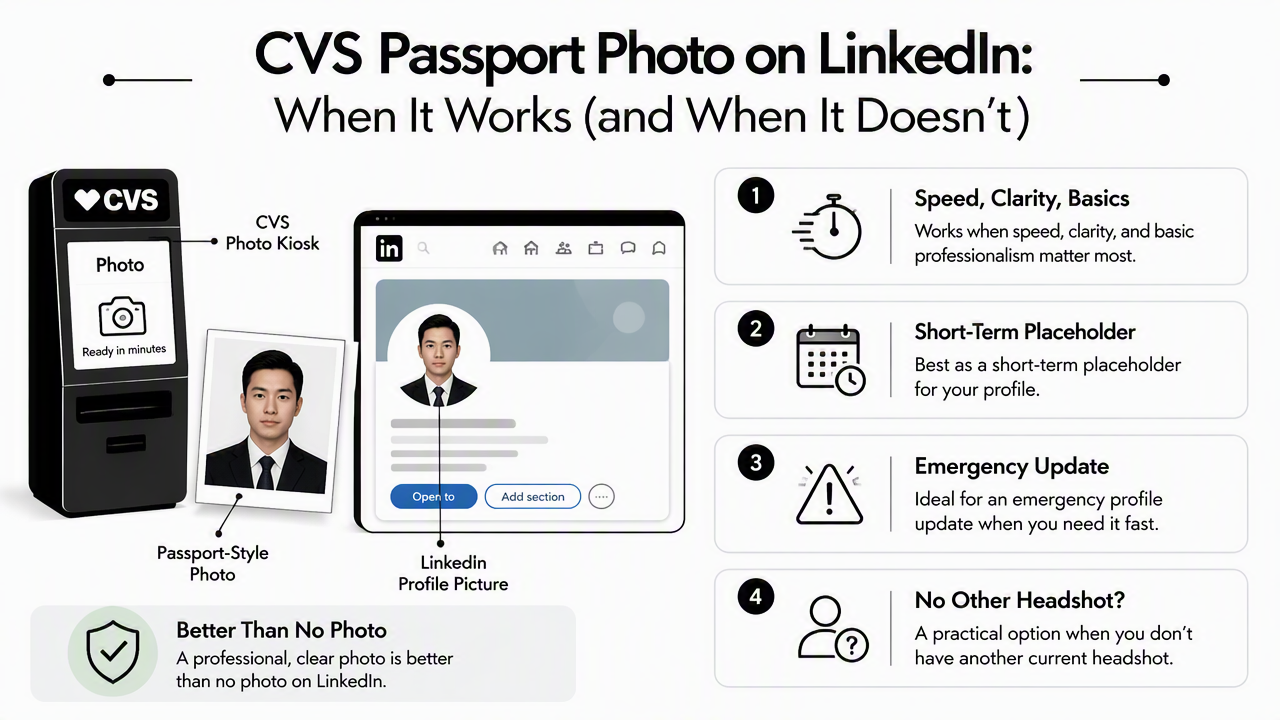
A passport-style image can be better than no photo. It can also be better than a blurry selfie, a cropped group photo, or an old image that no longer reflects current appearance.
Still, the best use is temporary. LinkedIn profile photos appear in small circular crops, so a rigid 2x2-inch ID image may feel cramped when reduced in search feeds or mobile views.
Decision table: keep, edit, retake, or generate
| Situation | Best action | Reason |
|---|---|---|
| No current profile photo exists | Use temporarily | A clear face image is better than a blank profile |
| Photo is sharp but too tightly cropped | Retake or generate | LinkedIn needs head and shoulder space for the circular crop |
| Expression looks tense or blank | Retake | A relaxed expression builds more trust |
| Lighting is even but background feels sterile | Edit lightly | A subtle professional background can soften the ID look |
| Photo is for a job search, founder profile, or client outreach | Create a new portrait | Higher-stakes profiles need stronger brand signals |
| Fitness, coaching, or wellness work needs a polished image | Use a tailored AI portrait | A specialized option such as a fitness LinkedIn profile picture AI generator can better match that professional niche |
A fast checklist before uploading
A passport-style photo should pass these checks before it becomes a LinkedIn profile picture:
- The face is sharp at small size.
- The eyes are visible and evenly lit.
- The crop does not cut into hair, chin, or shoulders.
- The expression looks calm, not forced.
- Clothing fits the target role or audience.
- The background is plain without looking like a mugshot.
- The image still looks natural inside LinkedIn's circular frame.
Why do passport photos often look flat on LinkedIn?
Passport photos often look flat on LinkedIn because official ID requirements prioritize measurement, consistency, and facial recognition over warmth, depth, and brand expression. The result can look technically correct but socially distant.
Store passport setups are usually built for speed. Lighting may be direct, backgrounds are plain, and the photographer has little reason to shape posture, expression, or visual tone. That can make the image feel formal, cropped, and emotionally neutral.
For a government document, that is the point. For LinkedIn, it can weaken the first impression.
Common visual problems with ID-style photos
The most common issues come from format, not personal appearance:
- Flat lighting: direct light removes facial depth and can make skin look washed out.
- Tight crop: passport framing often leaves too little shoulder space for LinkedIn.
- Neutral expression: compliance-friendly expressions can read as cold or anxious.
- Plain background: a blank wall can feel official rather than professional.
- Low context: no clothing, posture, or setting cues explain role, seniority, or personality.
These are design limits of the format. The person in the image is not the problem.
Passport rules versus LinkedIn expectations
| Photo feature | Passport-style goal | LinkedIn profile goal |
|---|---|---|
| Expression | Neutral and compliant | Approachable and confident |
| Crop | Face-centered ID framing | Head and shoulders with breathing room |
| Background | Plain and standardized | Clean, professional, slightly natural |
| Lighting | Functional visibility | Flattering shape and eye contact |
| Clothing | Acceptable for ID | Role-appropriate and brand-aware |
| Purpose | Verify identity | Build trust before a conversation |
Research on artificial intelligence ethics by Bernd Carsten Stahl, Doris Schroeder, and Rowena Rodrigues, published by Springer in 2022, examines accountability and responsible AI use in digital systems (SpringerBriefs). That matters when AI tools adjust professional images: edits should preserve real identity, avoid deception, and keep the final portrait recognizable.
A good LinkedIn image can be polished without becoming fake. Recognition and credibility should stay intact.
How should a passport-style photo be improved for LinkedIn?
A passport-style photo should be improved for LinkedIn by adjusting crop, lighting, expression, and background while keeping the face accurate and recognizable. The goal is not to hide identity; the goal is to present the same person in a more natural professional frame.
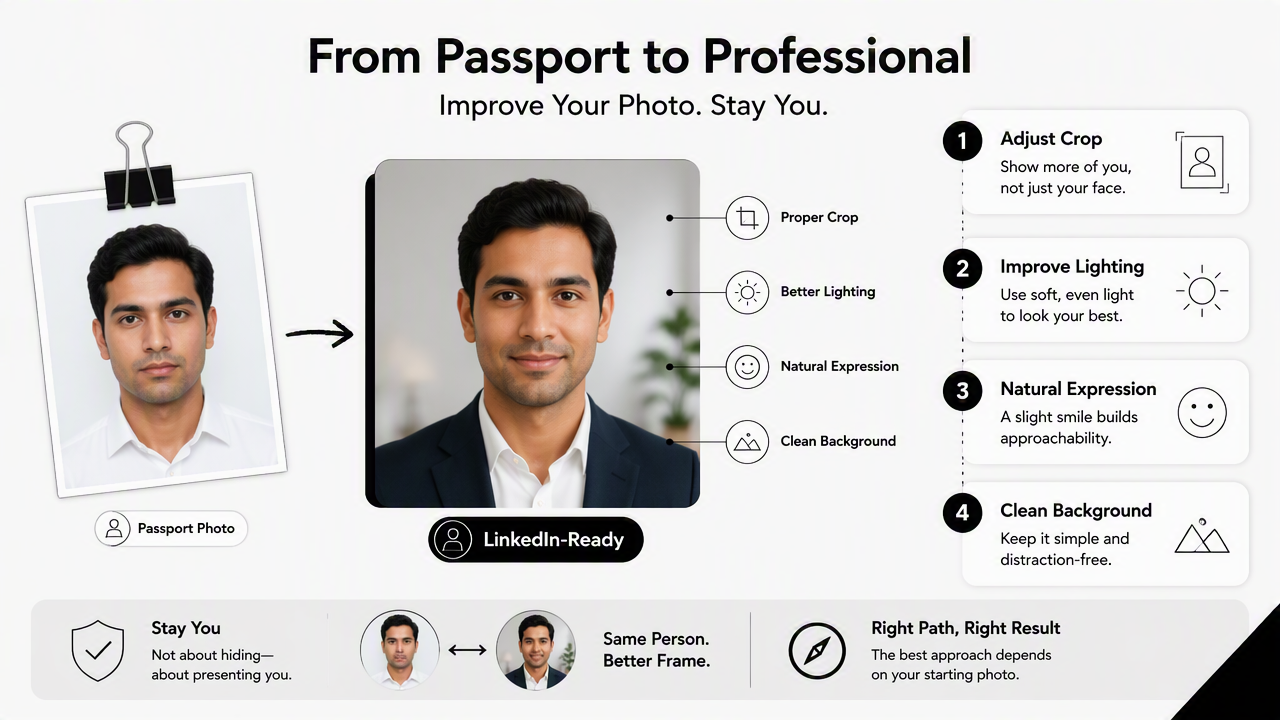
The best path depends on the starting image. Some ID photos only need a better crop. Others need a full retake because expression and posture cannot be fixed convincingly after the fact.
Step-by-step improvement plan
- Check the circular crop. The face should sit centered with space above the head and visible shoulders.
- Fix exposure first. Brighten shadows gently without over-smoothing skin.
- Keep edits realistic. Avoid changing facial structure, eye shape, or age cues.
- Use a professional background. Soft gray, warm office tones, or subtle studio looks usually work better than a stark wall.
- Retake if expression is stiff. A genuine mild smile is hard to create from a tense passport image.
- Match the role. Corporate, creative, technical, fitness, and founder profiles need different visual signals.
The Looktara platform can help create a more natural professional portrait from ordinary images when the original passport image feels too formal. For direct access, head to looktara.com and choose an image style that fits the intended professional use.
When AI generation is the better route
AI headshot generation makes sense when a person has no recent professional photo, cannot schedule a shoot, or needs several looks for LinkedIn, business profiles, and social platforms. The stronger tools focus on realism, not fantasy.
Ethical guidance remains relevant. Stahl, Schroeder, and Rodrigues also provide an introductory discussion of AI ethics in a 2022 Springer chapter (The Ethics of Artificial Intelligence: An Introduction). For profile photos, the practical rule is simple: the final image should still look like the person who will join the interview, meeting, or client call.
What should replace a CVS passport photo in 2026?
A natural professional portrait should replace a CVS passport photo in 2026 when LinkedIn is being used for job search, hiring, sales, consulting, partnerships, or creator positioning. The replacement should look current, clear, friendly, and role-aware.
The strongest LinkedIn photo in 2026 is not overly edited. It looks like a real person on a good day, with clean lighting and intentional framing. Remote workers and freelancers benefit from images that suggest reliability. Entrepreneurs benefit from photos that feel confident but not stiff. Dating app users can borrow the same principle: authentic beats overproduced.
Better options ranked by use case
| Option | Best for | Main advantage | Watchout |
|---|---|---|---|
| Professional photographer | Executives, speakers, founders | Highest creative control | More time and cost |
| AI professional portrait | Job seekers, freelancers, creators | Fast variety and polished results | Needs realistic inputs and careful selection |
| Smartphone retake | Students, early-career profiles | Low cost and easy to update | Requires good light and framing |
| CVS passport photo | Temporary LinkedIn placeholder | Fast, clear, widely available | Often too formal and tightly cropped |
Looktara fits the AI portrait path, especially when several professional looks are needed without a studio appointment. The best result usually comes from selecting an image that feels natural rather than choosing the most dramatic or heavily styled version.
What to expect in 2027
Professional profile photos will likely become more context-aware in 2027. Recruiters, clients, and audiences may see headshots across LinkedIn, email avatars, video call profiles, portfolio sites, and AI-assisted search summaries.
That shift raises the standard. One stiff ID photo will feel less flexible across channels. A small set of consistent, realistic portraits will work better for career profiles, founder bios, creator pages, and business directories.
For a practical next step, Looktara can support a quick upgrade from ID-style imagery to profile-ready portraits. A visit to looktara.com is most useful after choosing the target impression: approachable candidate, trusted consultant, polished founder, or credible creator.
FAQs about CVS passport photos and LinkedIn
These common questions cover the practical decisions around CVS passport photos, LinkedIn profile images, document prints, and professional alternatives.
Can I print passport photos at CVS?
Yes, CVS Photo offers passport photo printing through its passport photo service, including two 2x2-inch ID prints according to the CVS passport photo page. The service is designed for official document needs, so it is best for passport or visa requirements rather than polished LinkedIn branding.
Does a LinkedIn photo need to follow passport rules?
No, a LinkedIn photo does not need to follow passport rules. It should show the face clearly, but it can include a natural smile, professional clothing, softer lighting, and a less rigid crop. LinkedIn profile images should prioritize trust and approachability instead of strict document compliance.
Should someone choose a document before taking a CVS passport photo?
Yes, the document type should be chosen before taking an official passport or visa photo because different countries and documents can require different sizing or formatting. For LinkedIn, document selection is not relevant. The better question is whether the image supports the intended professional impression.
Can an AI headshot look professional without looking fake?
Yes, an AI headshot can look professional without looking fake when the final image preserves real facial identity, natural skin texture, and believable lighting. The safest choice is a realistic portrait that could plausibly come from a normal studio session, not an image that changes age, features, or body shape.
Conclusion
A CVS passport photo for LinkedIn profile use is acceptable as a quick placeholder, but it should not be the final choice for an active job search, founder profile, consulting page, or creator brand. The next step is simple: review the crop and expression, decide whether editing can fix the image, and retake or generate a realistic professional portrait when the photo feels too stiff. Choose the image that makes a recruiter, client, or connection feel confident starting a conversation.
Generated by EarlySEO.com