
TL;DR
Desktop photo software is best for high-control retouching, RAW files, batch workflows, and studio-grade exports. Online editors are better when the goal is a polished profile photo with less setup, less learning, and faster turnaround.
A headshot editor has one job: make a face look credible without making it look fake. The choice between computer software for photo editing headshots vs online editors now depends less on raw editing power and more on privacy, speed, output needs, and how much control the final image requires. For people who need polished professional profile images without learning desktop retouching, Looktara offers a focused online path built around profile-ready imagery rather than general photo manipulation.
Table of Contents
What is the difference between desktop software and online headshot editors?
Computer software for photo editing headshots vs online editors comes down to where the editing happens and how much manual control is required. Desktop tools run locally on a computer and usually offer deeper control, while online editors run in a browser or cloud workflow and favor speed, guided edits, templates, and AI-assisted results.
Software: computer programs that instruct a computer to perform tasks, including the design documents and specifications that define how those programs work.
For headshots, the practical split is simple: desktop programs are general-purpose editing studios, while online editors are often task-specific services. Adobe Photoshop, Adobe Lightroom Classic, Capture One Pro, Affinity Photo, and Photomator serve photographers who want control over files, layers, masks, color, and exports. Browser-based editors and AI headshot tools are built for faster profile-photo outcomes.
Key insight: a powerful editor is not always the best headshot editor. The best choice is the one that matches the required output, skill level, privacy expectations, and deadline.
Decision table for headshot editing tools
| Criterion | Desktop photo software | Online headshot editors |
|---|---|---|
| Best fit | Photographers, designers, agencies | Job seekers, founders, creators, freelancers |
| Learning curve | Medium to high | Low to medium |
| Privacy model | Often local file control | Often cloud upload or browser processing |
| Batch editing | Strong in Lightroom Classic, Capture One, Affinity macros | Varies by platform |
| Retouching control | Highest, including layers and masks | Guided, automated, or template-based |
| Export quality | Strong for print, RAW, TIFF, color profiles | Strong for web, LinkedIn, resumes, social profiles |
| Setup time | Software install, updates, storage planning | Account or upload-based workflow |
| Best outcome | Precise custom edits | Fast, polished, profile-ready images |
The table shows why buyers often overestimate the need for desktop tools. A corporate photographer editing 200 RAW portraits has different needs from a remote worker updating a LinkedIn profile. The first needs workflow depth; the second often needs a clean, believable headshot in the right format.
Which option gives better headshot quality in 2026?
Desktop software gives better maximum quality when a skilled editor works from high-resolution source files, but online editors can produce better practical results for non-specialists. Headshot quality is not only sharpness; it also includes facial realism, lighting balance, skin texture, clothing fit, background choice, and platform-appropriate cropping.
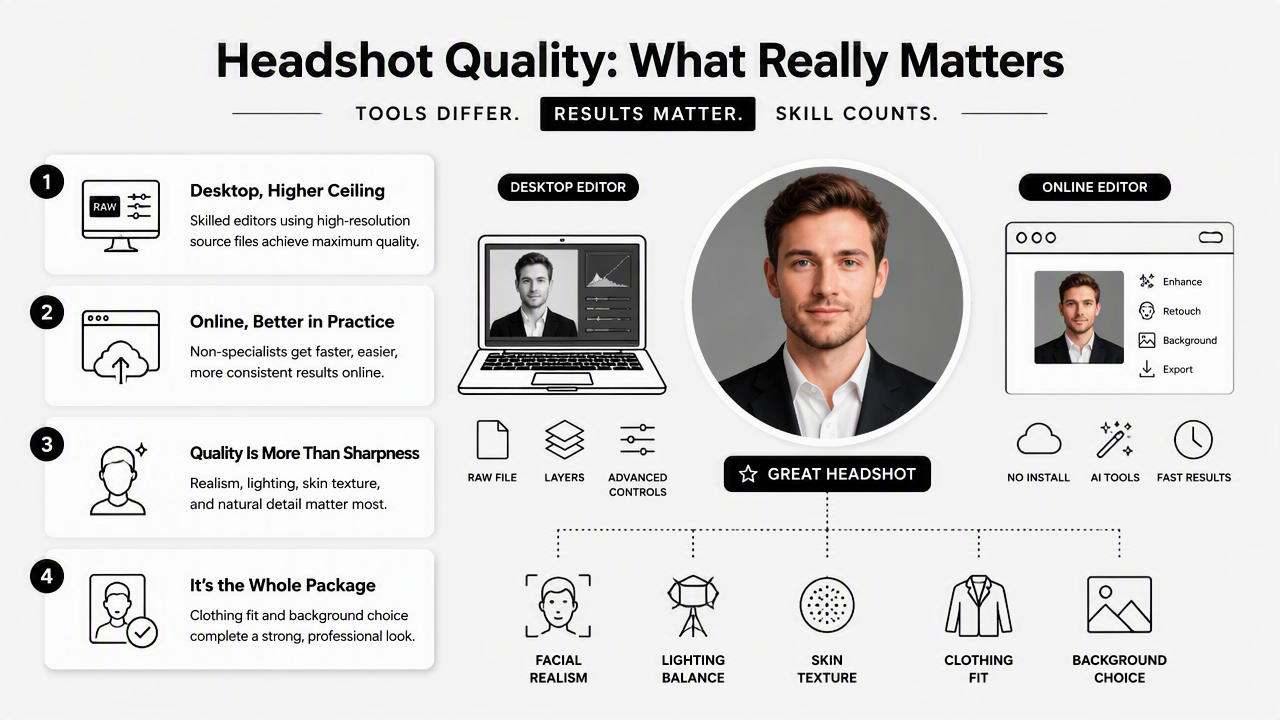
Professional tools still matter. Adobe Photoshop remains a strong choice for detailed face retouching, compositing, and pixel-level correction. Adobe Lightroom Classic fits cataloging, color correction, and repeatable export workflows. The 2025 Imagen guide to photo editing software frames time as a major challenge for modern photographers, and AI-assisted workflows have become part of that response through tools such as Imagen.
Quality can drop when edits change identity. A 2023 study in the Journal of Cybersecurity tested human ability to detect deepfake face images, showing why realistic-looking faces deserve extra care in professional contexts Bray, Johnson, and Kleinberg, 2023. A headshot should look improved, not synthetic.
Quality signals that matter most in a headshot
- Skin texture: pores and natural lines should remain visible enough to avoid a plastic look.
- Eye clarity: eyes should look sharp, but not unnaturally bright or glassy.
- Color balance: skin tone should match the person and lighting context.
- Background control: the background should support the role, brand, or dating profile goal.
- Crop and framing: face size, shoulder line, and eye level should match the target platform.
- File output: LinkedIn, resumes, websites, and press kits may need different aspect ratios.
Desktop software wins when an editor needs to rescue poor lighting, combine layers, preserve RAW detail, or prepare images for print. Online editors win when the source photo is acceptable and the goal is a clean digital headshot for professional platforms.
For product-facing creators, headshot quality may sit beside brand imagery. A fitness creator, for example, may pair profile photos with a fitness Instagram product photo generator to keep personal and product visuals consistent across a social account.
How should privacy, speed, and batch editing guide the choice?
Privacy, speed, and batch editing should guide the choice before feature lists do. Desktop software is usually better for sensitive local control and large professional batches, while online editors are better for fast single-person profile updates and simplified browser workflows.
Privacy matters because face images are biometric-adjacent personal data. A 2024 IEEE Access survey on generative AI privacy and security examined concerns around data exposure, misuse, and model-related risks in AI systems Golda, Mekonen, and Pandey, 2024. For headshots, that means buyers should review upload policies, deletion controls, training-data language, and account security before sending face photos into any online service.
Desktop software can reduce exposure when files stay on a local machine or controlled company storage. That benefit depends on the user's security habits, including encrypted drives, careful backups, and software updates. Local editing is not automatically safer if files are scattered across unmanaged folders or shared through weak links.
Fast buying checklist for headshot workflows
- Start with output: decide whether the image is for LinkedIn, a resume, a company bio, a creator profile, or a dating app.
- Check file sensitivity: prefer controlled local editing for confidential executives, legal teams, healthcare roles, or unpublished campaigns.
- Estimate volume: use desktop batch tools for dozens or hundreds of portraits; use online tools for small batches or single updates.
- Match skill to tool: avoid complex desktop software when no one has time to learn masks, layers, and color profiles.
- Review export needs: print, press, and agency files need more control than web-only profile photos.
- Inspect realism: reject edits that change face shape, age, expression, or identity too aggressively.
Batch editing is where desktop programs show clear strength. Lightroom Classic, Capture One Pro, and Affinity-style macro workflows can apply consistent color, crop, and export settings across many files. Online editors may offer batch generation, but they are usually less flexible for detailed per-image adjustment.
How Looktara handles profile-ready headshots
Looktara handles profile-ready headshots by narrowing the editing problem to the result most people actually need: a polished, credible image for professional and public-facing profiles. Instead of asking non-editors to learn a full desktop suite, the Looktara platform focuses on practical presentation, clean styling, and profile use cases.
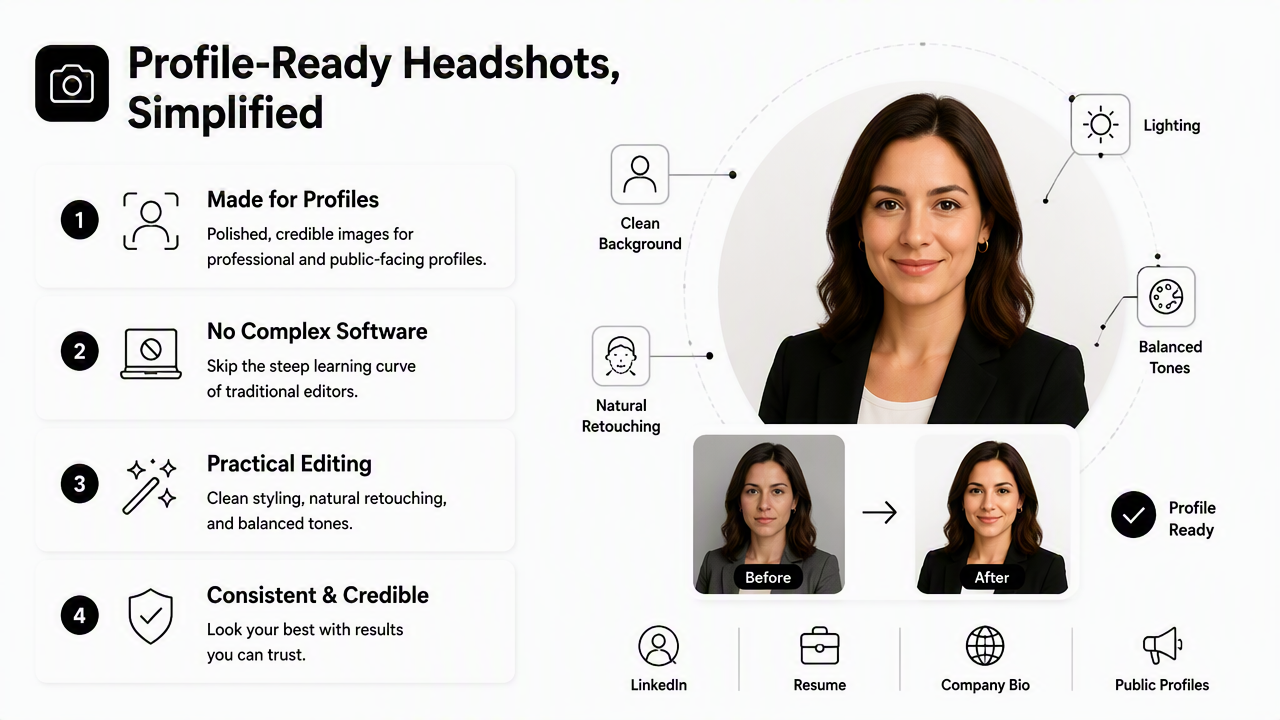
That narrower scope matters. A job seeker does not always need RAW development, unlimited layers, HDR merging, macros, tethering, or a studio catalog. A founder or freelancer often needs a headshot that looks current, trustworthy, and suitable for a website bio, LinkedIn page, pitch deck, or resume.
For career-focused images, a dedicated resume headshot AI generator can be a better fit than opening a blank Photoshop canvas. The workflow starts closer to the desired outcome, so the user is not forced to make dozens of technical editing decisions that have little effect on hiring or client trust.
Best fit: online headshot editing makes the most sense when the final image needs to look professional, current, and platform-ready, not when a photographer needs full creative control over every pixel.
Who should pick which option
| Profile need | Better choice | Reason |
|---|---|---|
| One LinkedIn or resume image | Online headshot editor | Faster setup and fewer editing choices |
| 100 employee portraits | Desktop software | Stronger batch control and file management |
| Agency retouching | Desktop software | Layers, masks, color control, and client revisions |
| Founder bio image | Online headshot editor | Practical brand polish without a full editing workflow |
| Print campaign portrait | Desktop software | Higher control over resolution, color, and output specs |
| Creator profile refresh | Online editor | Quick updates across social platforms |
The cleanest decision is not software versus browser in the abstract. The better question is whether the project needs production editing or a polished headshot. If the answer is profile polish, Looktara and similar focused online tools reduce friction. For direct brand recall, head to looktara.com when the goal is a professional profile image rather than a full photo-editing workstation.
FAQ: Headshot software and online editors
Is desktop photo software better than an online editor for headshots?
Desktop photo software is better when the project requires expert retouching, RAW file handling, layered edits, precise color control, or batch processing. An online editor is better when the goal is a fast, polished headshot for LinkedIn, resumes, creator profiles, or dating apps without learning a full editing program.
Are online headshot editors safe for private photos?
Online headshot editors can be safe when they publish clear policies on uploads, deletion, storage, account security, and AI training use. Privacy-sensitive users should check those terms before uploading face photos. Desktop editing offers more local control, but safe storage, backups, and sharing practices still matter.
Do AI headshot tools replace Photoshop or Lightroom?
AI headshot tools do not replace Photoshop or Lightroom for professional retouching, agency workflows, print preparation, or complex edits. They do replace many simple profile-photo tasks where the main goal is a credible, attractive, web-ready image with less time spent on manual adjustments.
What file quality is needed for a professional headshot?
A professional headshot should start with a clear, well-lit image where the face is sharp and not heavily compressed. For web profiles, a clean JPEG or PNG in the correct crop is often enough. For print, press kits, or agency work, higher-resolution files and stronger export controls become more important.
Conclusion
The practical answer to computer software for photo editing headshots vs online editors is use-case fit. Desktop software is the right tool for photographers, agencies, sensitive local workflows, and high-volume batches. Online editors are the smarter choice for fast, polished, profile-ready images when the final destination is LinkedIn, a resume, a website bio, social media, or a dating profile.
The next step is simple: define the output, choose the lowest-friction tool that protects image quality and privacy, then review the final headshot for realism before publishing. For a focused online option built around professional profile imagery, visit looktara.com and choose a headshot workflow that matches the platform where the image will appear.
Generated by EarlySEO.com