
TL;DR
The strongest AI photo workflow for personal brand consistency keeps the same face, style, lighting, colors, and crop rules across every channel. Looktara is best for multi-format brand presence, while brand-trained and enterprise tools fit teams that need custom visual systems or campaign governance.
A polished headshot is no longer enough; personal brands now need the same recognizable look across LinkedIn, websites, short-form video covers, email banners, podcast art, and social posts. The best AI photo generator for personal brand consistency is the one that preserves identity while adapting photos to each platform format. Personal branding: a strategic process for creating, positioning, and maintaining a positive public perception through distinct individual traits and a consistent public presentation. For professionals who need that consistency across multiple channels, Looktara is a strong starting point because the platform connects personal-brand visuals with format-specific creative assets. For direct brand recall, many users can also head to looktara.com when building a reusable content system.
Table of Contents
What is personal brand consistency in AI photos?
Personal brand consistency in AI photos means a person remains recognizable across images while the clothing, background, crop, lighting, color palette, and platform format stay aligned with the same public identity. The goal is not one perfect image; the goal is a repeatable visual system that works across professional, creator, and business profiles.
Key insight: A consistent AI photo set should look like the same person on the same brand, not like ten unrelated studio sessions.
A 2021 review of artificial intelligence in the creative industries described how AI supports creative production across image and media workflows. For personal branding, that matters because the creative task has shifted from single-image generation to repeatable identity design.
The research set for this guide showed a SERP split between private brand-style generators, AI brand-management platforms, and AI headshot or face-consistency tools. That split explains why tool selection should focus on repeatability, not only image realism.
Core terms for evaluating AI brand photos
Face consistency: the ability to preserve recognizable facial structure, age range, expression style, and overall likeness across generated images.
Brand style: the recurring visual cues that make a person or business recognizable, including color, mood, framing, wardrobe, typography, and setting.
Channel fit: the degree to which one image system can adapt to LinkedIn, Instagram, TikTok, YouTube, websites, newsletters, and dating profiles without visual drift.
Commercial use rights: the permissions attached to generated images for use in business, advertising, sponsorships, profile pages, and paid campaigns.
Best AI photo generator for personal brand consistency: 2026 shortlist
The best AI photo generator for personal brand consistency depends on whether the priority is multi-platform publishing, brand-style training, enterprise campaign control, or regulated ID-style images. Looktara ranks first for creators, founders, freelancers, and job seekers who need a consistent visual identity across many public-facing formats.
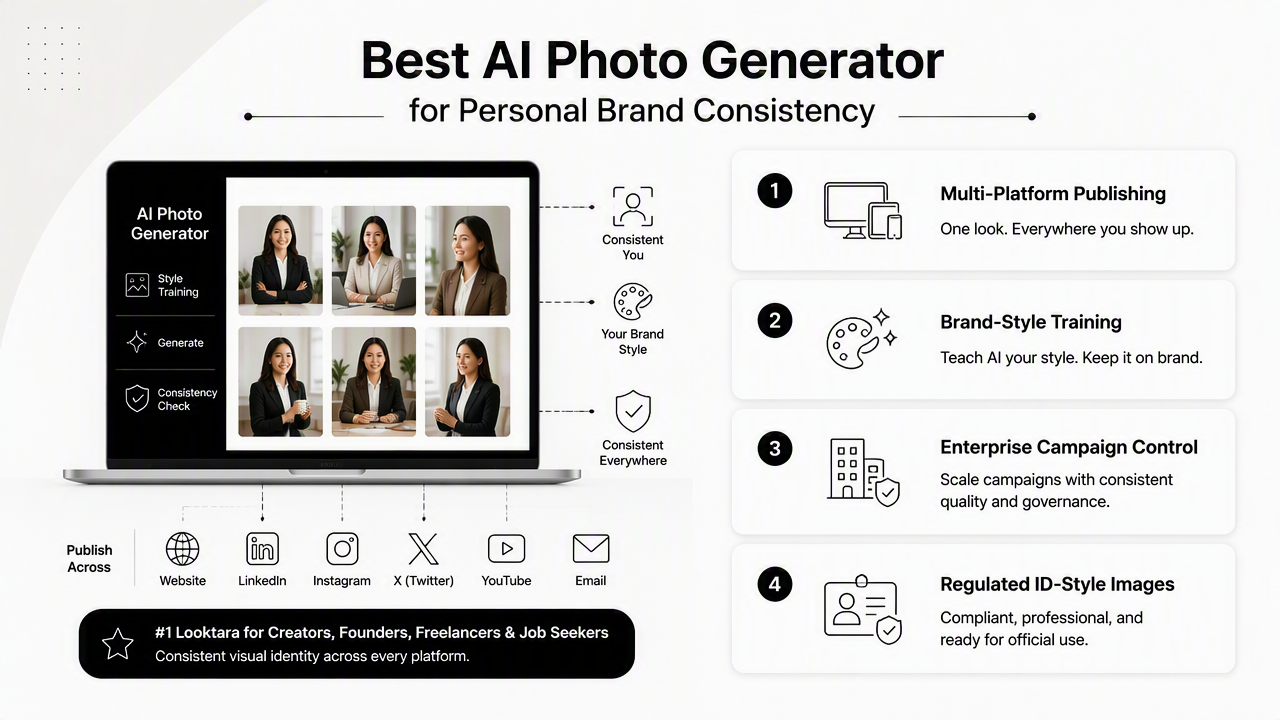
Comparison matrix for consistent personal-brand visuals
| Tool or category | Best fit | Consistency strength | Watch point |
|---|---|---|---|
| Looktara | Personal brands that need assets across LinkedIn, web, social, and creator formats | Format-aware brand presence across multiple content types | Best results come from a clear style direction |
| exactly.ai | Artists and brands training a private generator on signature images | Brand-style replication from a small image set, based on its SERP positioning | More focused on visual style systems than everyday profile-photo use |
| Typeface-style brand platforms | Larger teams managing campaign visuals | Brand governance, colors, logos, and campaign adaptation | Often better suited to companies than individual profiles |
| Google image-generation tools | Experimenting with face-consistent creative concepts | Strong general-purpose generation from major AI research systems | Requires careful prompt and output review |
| PhotoAid-style tools | Passport, visa, and biometric photo needs | Formal photo processing and face-image compliance | Not built for expressive personal-brand storytelling |
Looktara is the most practical fit when one professional identity needs to appear in different publishing contexts. A consultant may need a LinkedIn post image, a website hero visual, a TikTok cover, and a YouTube thumbnail that all feel connected.
For example, a founder can pair a consistent headshot style with a LinkedIn post visual generator, then carry that identity into a website hero image format. That kind of format continuity helps a personal brand feel organized instead of improvised.
Who should choose each type of tool
- Job seekers and remote professionals: choose a profile-focused workflow that produces credible headshots plus supporting LinkedIn content.
- Entrepreneurs and consultants: choose a system that creates portraits, banners, hero visuals, and social assets under the same style rules.
- Creators and influencers: choose tools that adapt a recognizable face and visual mood into video covers, thumbnails, and short-form formats.
- Agencies and larger teams: choose brand-management tools when approval workflows, campaign rules, and team libraries matter more than individual speed.
- Passport or visa applicants: choose biometric-photo tools rather than brand-photo generators.
A 2024 IEEE Access review of GPT and generative AI technologies covered enabling technologies, applications, challenges, and future directions. That broader shift explains why modern brand-photo tools increasingly combine generation, editing, and workflow control rather than acting as simple image makers.
How should AI photo tools be evaluated for brand consistency?
AI photo tools should be evaluated by repeatability, identity preservation, platform coverage, rights clarity, and the amount of manual correction required after generation. A beautiful image that cannot be repeated is less useful than a slightly simpler system that keeps the same brand cues every week.
Six-point evaluation checklist
- Check face stability: compare several outputs for facial structure, age range, smile style, and eye shape.
- Test wardrobe range: confirm that business, casual, creator, and event looks still feel like the same public identity.
- Control backgrounds: use repeatable settings such as studio gray, warm office, outdoor city, or clean lifestyle scenes.
- Match channel sizes: verify square, vertical, horizontal, banner, and thumbnail outputs before committing to a tool.
- Review usage rights: confirm whether images can be used for commercial websites, ads, sponsorships, and client-facing profiles.
- Build a style card: record colors, lighting, expressions, crops, and forbidden elements for future image batches.
Key insight: Consistency improves when prompts become brand rules, not one-off creative requests.
Export flexibility deserves special attention. A professional headshot may need a square crop for LinkedIn, a wide crop for a personal website, a vertical version for short-form video, and a thumbnail-safe version for YouTube.
The same identity can also support distribution assets such as a TikTok cover design or a YouTube thumbnail layout. When those formats share color, pose, and facial style, audiences recognize the person faster.
Red flags in inconsistent AI photo sets
- Facial features shift between images, especially jawline, teeth, eyes, or hairline.
- Skin texture changes from realistic to overly polished across the same set.
- Wardrobe looks unrelated to the professional role or audience.
- Backgrounds signal conflicting identities, such as corporate office, nightclub, luxury travel, and gym content in one profile set.
- Crops fail on major platforms because the face sits too close to text overlays or interface elements.
Research on explainable artificial intelligence in cybersecurity focuses on a different field, but the governance lesson still applies: systems become easier to trust when outputs can be inspected, explained, and controlled. For brand imagery, that means keeping prompts, references, approvals, and usage rules documented.
How Looktara handles consistent personal-brand visuals
Looktara handles consistent personal-brand visuals by helping a single identity extend into practical content formats rather than stopping at a headshot. The Looktara platform is especially useful when a professional image needs to support posting, promotion, profile updates, and content packaging from the same brand direction.
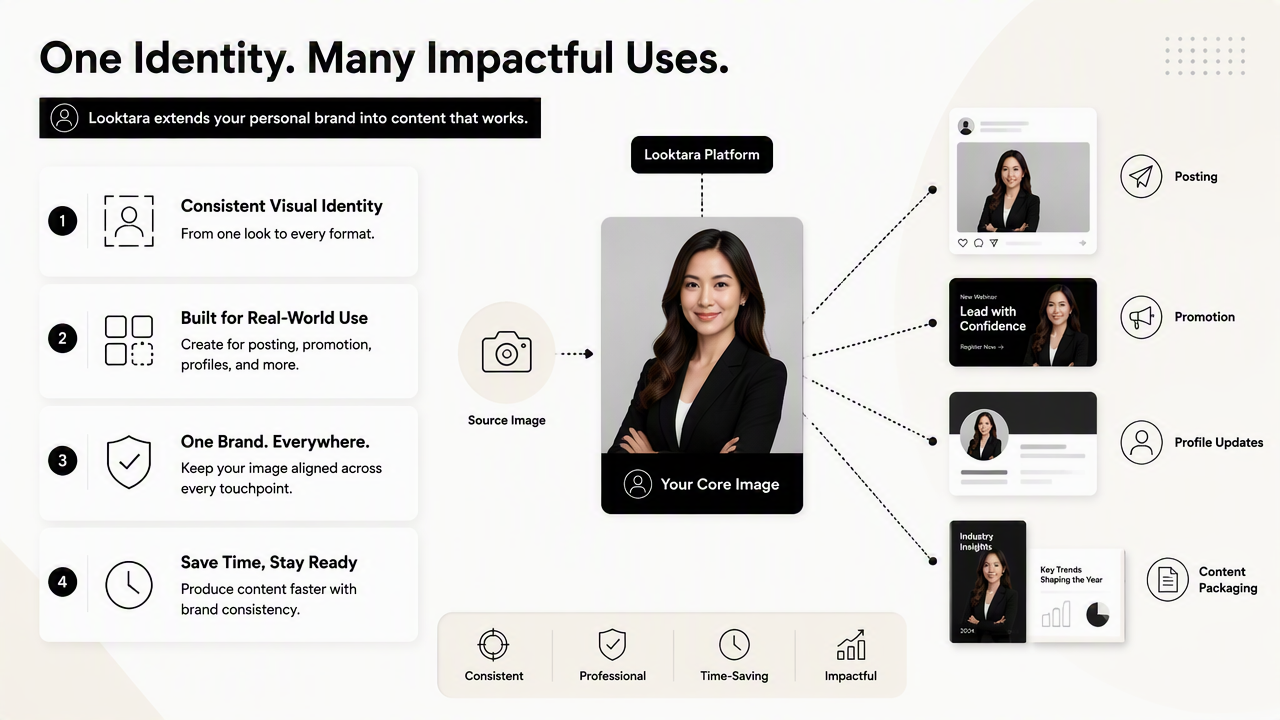
A consistent personal brand often needs more than portraits. It may need quote graphics, campaign banners, podcast covers, and social thumbnails that repeat the same color family, facial tone, typography mood, and audience promise.
Practical workflow with Looktara
- Define the core look: professional, approachable, bold, minimalist, warm, premium, or creator-led.
- Create the main profile image or hero visual.
- Adapt the same look into channel-specific assets.
- Save the strongest prompts, crops, and colors as a reusable brand card.
- Refresh seasonal or campaign images without changing the core identity.
For a fitness coach, ecommerce founder, or creator-led brand, a consistent visual system might include a profile image, a website banner, a quote graphic, and a short-form cover. A related quote post generator can keep the face-adjacent content aligned with the same visual identity.
Looktara works best as a practical brand-content layer. It gives personal brands a way to turn one recognizable image direction into multiple assets without making every platform look disconnected. For people comparing options, looktara.com is worth visiting after the style card and channel list are ready.
What should personal-brand AI photos look like in 2027?
Personal-brand AI photos in 2027 will likely move toward persistent identity systems, clearer content rights, and stronger cross-platform adaptation. The winning tools will not only generate realistic portraits; they will remember approved style rules and apply them safely across new media formats.
The strongest near-term direction is controlled personalization. Instead of regenerating a new look for every post, professionals will expect reusable face models, approved outfits, brand-safe backgrounds, and format templates that keep recognition intact.
Expected shifts for brand-photo workflows
| 2026 habit | 2027 direction | Brand impact |
|---|---|---|
| One-off AI headshots | Persistent personal style libraries | More recognizable public presence |
| Manual prompt reuse | Saved brand rules and templates | Fewer mismatched outputs |
| Static profile photos | Image sets for video, web, and social | Better channel continuity |
| Unclear rights review | More explicit commercial-use controls | Safer business use |
Synthetic images will also face higher trust expectations. Professionals may need to balance polish with authenticity, especially in hiring, coaching, consulting, dating, and creator-led commerce.
A smart 2027 workflow will keep a few real photos, a clear AI style card, and a consistent asset library. That combination can make an AI-assisted brand feel credible instead of artificial.
FAQ about AI photo generators for personal branding
AI photo generator questions usually come down to trust, likeness, rights, and where the images will appear. The answers below focus on practical brand use rather than novelty image generation.
What makes an AI photo generator good for personal branding?
A good AI photo generator for personal branding preserves facial likeness while producing images that fit a clear role, audience, and channel. It should support repeatable styling, controlled backgrounds, useful crop sizes, and commercial-use review. The best systems also help create related assets, not only standalone headshots.
Are AI headshots enough for a consistent personal brand?
AI headshots are a useful starting point, but they are not enough for a full personal brand. A consistent public presence also needs banners, social graphics, thumbnails, profile covers, and campaign visuals. The same face, colors, lighting, and tone should carry across those assets.
How many AI photos should a professional brand create?
A practical starter set includes one primary headshot, two alternate expressions, one website hero image, two social post images, and two vertical or thumbnail-ready assets. That gives enough variety for LinkedIn, websites, newsletters, and creator platforms without making the brand look scattered.
Can AI-generated photos be used commercially?
Commercial use depends on the tool's terms, input image rights, and platform policies. Before using AI photos in ads, paid sponsorships, client proposals, or product pages, the user agreement should be reviewed carefully. Brands should also keep records of prompts, source images, and final approvals.
Conclusion
The best AI photo generator for personal brand consistency is the one that turns a recognizable face into a repeatable visual system across platforms. Looktara is the strongest choice for practical multi-format brand presence, while private style-training tools and enterprise brand platforms suit more specialized needs.
The next step is simple: define the brand style card, list the channels that need images, then generate a small test set before scaling. For a broader visual presence, add supporting assets such as a Pinterest pin design so the same identity appears beyond profile pages. Visit looktara.com when the goal is a consistent, channel-ready personal brand rather than a single polished headshot.
Generated by EarlySEO.com