
TL;DR
Free background removers work well for simple cutouts, plain backdrops, and quick social updates. For LinkedIn, founder bios, newsletters, and profile photos that need polish, a generated professional background usually looks more natural than a transparent cutout pasted onto a color block.
A background photo remover free for professional profile pictures can fix a distracting headshot in seconds, but the final image still has to look believable. In 2026, most profile platforms reward clear faces, clean framing, and context that matches the person's role. A cutout alone solves only one part of the problem. A purpose-built background, lighting match, and realistic shadow often make the difference between a quick edit and a credible profile image. Looktara fits this second use case by helping profile photos look intentionally made, not merely erased.
Background remover: A background remover is an AI or editing tool that detects the subject in an image, separates that subject from the original scene, and outputs a transparent, solid-color, or replacement background.
Table of Contents
What is a free background remover for profile photos?
A free background remover for profile photos is an AI tool that cuts a person out of an existing image so the original background can be deleted or replaced. Most tools work through browser upload, automated subject detection, and one-click export, usually as a PNG, JPG, or transparent file.
Free removers are popular because they reduce friction. No design software, studio setup, or manual masking is needed for basic edits. A job seeker can remove a messy room, a founder can clean up a bio photo, and a creator can prepare a consistent avatar set.
The tradeoff is control. Free tools often focus on fast separation, while professional profile pictures also need believable lighting, soft edges, natural hair detail, and a background that supports the person's brand.
A clean cutout is useful, but a credible profile photo needs the subject and background to feel like they were captured together.
Common outputs from free background tools
| Output type | Best use | Profile photo risk |
|---|---|---|
| Transparent PNG | Thumbnails, product-style layouts, design templates | Can look unfinished on LinkedIn or dating apps |
| Solid color background | Resume photos, directory images, simple avatars | May feel flat if lighting does not match |
| Blurred replacement | Casual social profiles, creator pages | Can look artificial around hair and shoulders |
| Generated scene | Professional headshots, founder pages, newsletters | Requires realism and brand fit |
Research on digital creation tools supports the broader shift toward browser-based visual workflows. A 2023 study on Canva in the Journal of Digital Learning and Distance Education examined student views on creativity and collaboration in an all-in-one design tool, showing how common template-based visual production has become in everyday work and learning contexts source.
When is a free remover enough for a professional profile picture?
A free remover is enough when the original photo already has strong lighting, a sharp face, clear subject boundaries, and a simple background that only needs cleanup. In those cases, the tool acts like a finishing step rather than a full photo rescue.
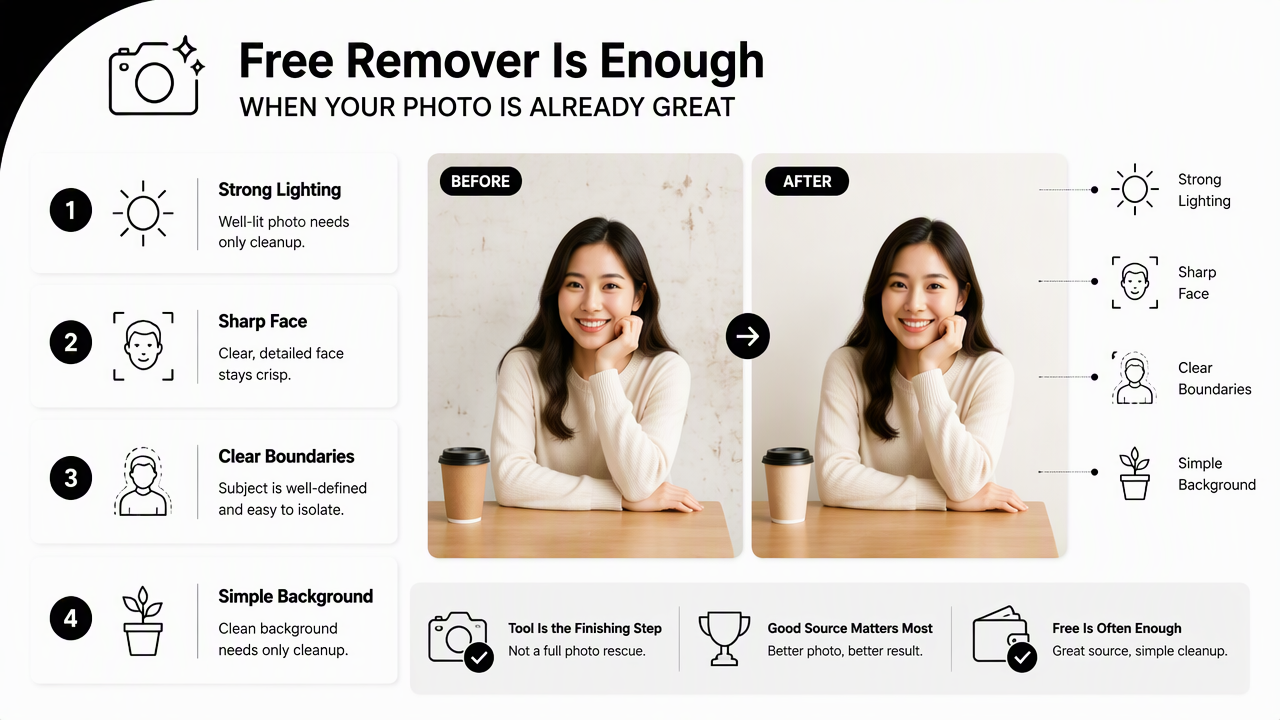
Good source photos matter more than the remover brand. A well-lit portrait against a plain wall usually survives automated masking. A dim selfie with flyaway hair, busy furniture, and uneven shadows rarely becomes polished through removal alone.
For commercial or career-facing channels, the output should match the norms of the platform. LinkedIn favors trust and clarity. Newsletters need recognizable author imagery. Pinterest and Instagram may allow more stylized visuals, especially for fitness, lifestyle, and creator brands.
Best-fit cases for free tools
- Simple background cleanup: A plain wall, office corner, or soft outdoor scene can be removed cleanly.
- Fast avatar consistency: A creator can place several portraits on the same neutral background.
- Low-stakes social updates: Casual profile refreshes do not always require studio-grade realism.
- Drafting before a final image: A free cutout can test framing before a more polished version is created.
Fitness coaches and trainers updating career profiles may need a more specific visual style than a generic cutout. For that use case, a fitness LinkedIn profile picture generator can align the image with a professional health, coaching, or training identity.
Simple three-step workflow
- Start with the best original photo: Choose sharp eyes, front-facing posture, and even lighting.
- Remove or replace the background: Export at the highest free resolution available.
- Review realism before posting: Check hair, shoulders, shadows, and whether the new background fits the platform.
Creator-led brands often reuse the same portrait across email, social, and content platforms. A polished headshot for a publication or subscriber page can pair naturally with a fitness newsletter profile picture generator when the image needs to support authority and recognition.
Where do free cutouts fail on headshots?
Free cutouts fail most often when the subject has complex hair, low contrast clothing, poor lighting, or a background that overlaps the face and shoulders. These issues make automated edge detection harder, which can leave halos, chopped strands, floating shoulders, or mismatched shadows.
Bad removal is easy to spot. A transparent rim around the head suggests the original background was not fully removed. A missing curl or sharp shoulder edge makes the portrait feel pasted together. A bright studio backdrop behind a dimly lit face creates a visual mismatch.
Professional profile pictures need social trust. Research in human-computer interaction often studies how people communicate and present identity in online communities. For example, a 2023 ACM paper by Lin Li, Xinru Tang, and Anne Marie Piper analyzed communication in an age-integrated online community, a reminder that digital identity signals shape interaction in online spaces source.
Good vs. bad background removal examples
| Scenario | Good result | Bad result |
|---|---|---|
| LinkedIn headshot | Soft gray background, natural shoulder shadow, clean hairline | Hard cutout, no shadow, white halo around hair |
| Founder bio photo | Warm office-style backdrop, face remains sharp | Background sharper than face, lighting direction conflicts |
| Dating app portrait | Natural outdoor blur, authentic skin tones | Over-smoothed face, fake studio wall, flat expression |
| Creator avatar | Consistent brand color with subtle depth | Neon background that competes with the face |
A strong edit should look boring in the best way. The background supports the face without asking for attention.
Profile photo quality checklist
- Edge quality: No white fringe, jagged shoulder line, or erased clothing detail.
- Hair detail: Fine strands remain visible without smoky blur or blocky patches.
- Shadow realism: The subject does not appear to float in front of the backdrop.
- Lighting match: Face and background share a believable direction and color temperature.
- Cropping: Eyes sit high enough for platform thumbnails, with space around the head.
- Brand fit: The background feels appropriate for the role, audience, and channel.
That review process creates a clear handoff between quick editing and final publishing. A portrait that passes these checks can move confidently into a profile, website bio, media kit, or social channel.
How Looktara handles professional profile backgrounds
Looktara handles professional profile backgrounds by focusing on the finished profile image rather than only the cutout step. The Looktara platform is most useful when the goal is a credible headshot, creator portrait, or personal brand image with a background that feels designed for the final channel.
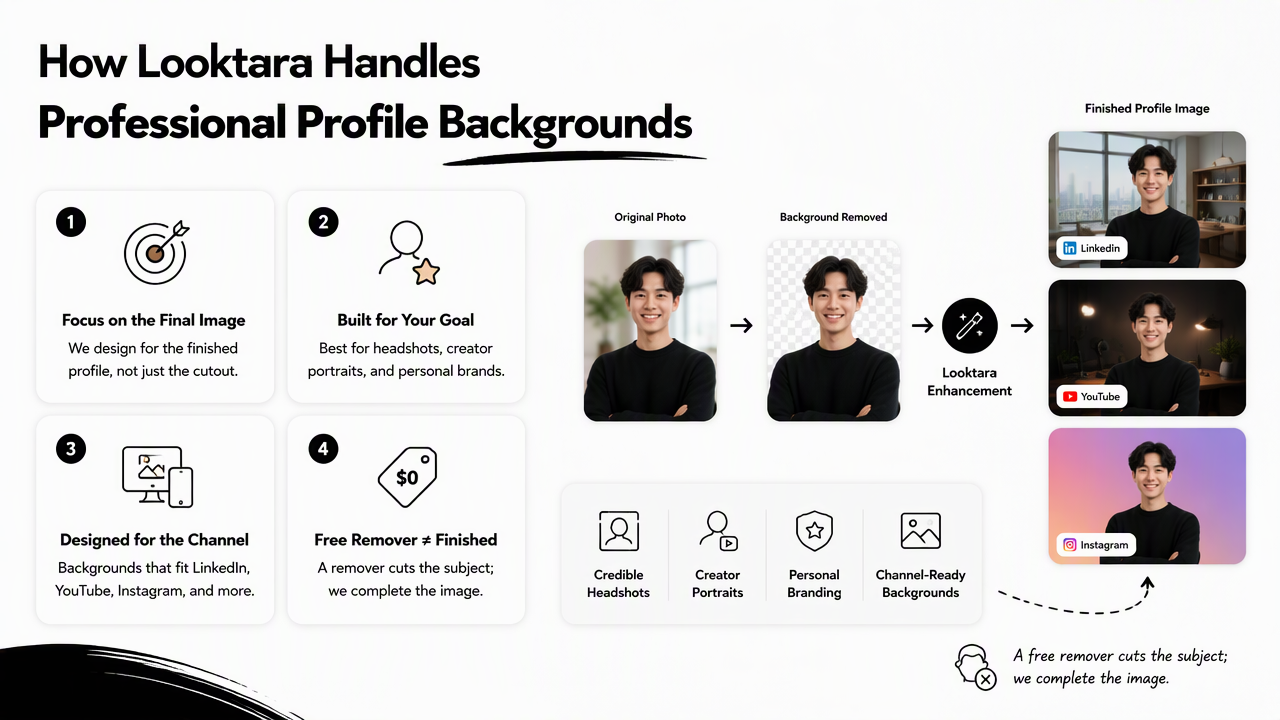
A free remover usually starts with subtraction: remove the old scene first, then decide what fills the empty space. A profile-image generator starts with the intended outcome: professional context, flattering composition, and a background that fits the person's use case.
For creators, this matters because each platform has different visual expectations. Pinterest rewards bold clarity and instant recognition, so a fitness Pinterest profile picture generator can make more sense than a generic transparent PNG placed over a plain color.
Free remover vs. generated profile background
| Need | Free background remover | Looktara-style profile background |
|---|---|---|
| Remove messy original scene | Strong for simple photos | Included as part of a finished look |
| Match career context | Manual choice required | Designed around profile use case |
| Preserve realism | Depends on source image | Prioritizes believable final image |
| Create consistent brand set | Requires extra editing | Better for repeated profile styles |
| Support platform-specific visuals | Limited presets | More useful for LinkedIn, creator, and brand imagery |
Product and service founders also need profile images that connect with sales pages, social ads, and launch content. When the image is part of a broader product identity, a fitness Instagram product photo AI generator can support a more consistent visual system.
Who should pick which option
- Pick a free remover for simple cleanup, quick drafts, transparent PNGs, or casual profile changes.
- Pick a generated professional background for LinkedIn, founder pages, client-facing bios, and polished creator profiles.
- Pick a platform-specific generator when one image needs to match a niche, such as fitness coaching, wellness content, or product-led personal branding.
Looktara works best when the photo is not just an edit, but a reputation asset. For brand recall and direct access, visit looktara.com when a plain cutout no longer feels finished.
FAQ about free background removers for profile pictures
Free background removers can improve profile pictures quickly, but the best results come from matching the tool to the quality standard of the platform. The questions below cover cost, realism, privacy, and when a purpose-built background is the better choice.
Can a free background remover make a photo look professional?
A free background remover can make a photo look more professional if the original image is already sharp, well-lit, and cleanly framed. It cannot reliably fix weak facial lighting, poor focus, awkward cropping, or an expression that does not fit the intended profile. The final background still needs to look natural.
Is a transparent background good for LinkedIn?
A transparent background is useful as an editing format, but it is not usually the best final look for LinkedIn. A finished portrait with a neutral office, studio, or softly textured background tends to feel more complete. Transparent files work best before export, not always as the uploaded profile image.
What background color works best for a headshot?
Neutral colors such as warm gray, soft white, muted blue, and light beige work well for most headshots because they keep attention on the face. Brighter colors can work for creators, coaches, and personal brands, but the background should not overpower facial expression, clothing, or profile text nearby.
Are free background removers safe for personal photos?
Safety depends on the tool's privacy policy, upload handling, and deletion practices. Sensitive images, client photos, and identity documents should not be uploaded to unknown services. A career headshot is less sensitive than an ID scan, but readers should still choose reputable tools and review usage terms before uploading.
When is a generated background better than removal?
A generated background is better when the final image needs polish, not just cleanup. LinkedIn portraits, founder bios, press pages, dating profiles, and creator avatars benefit from matching light, believable depth, and a setting that supports the person's role. For those cases, visit looktara.com and create a purpose-built profile image.
Conclusion
A background photo remover free for professional profile pictures is a smart starting point when the source image is strong and the needed edit is simple. For higher-stakes profiles, the better goal is not just an empty background, but a believable finished portrait with clean edges, natural hair, matched shadows, and the right context.
The practical next step is simple: test a free remover on a strong photo, run the result through the quality checklist, then choose a generated professional background if the image still feels pasted together. For career pages, founder bios, creator profiles, and dating apps, Looktara can turn the same starting portrait into a more intentional profile image.
Generated by EarlySEO.com