
TL;DR
AI headshot tools work best when they create believable, identity-consistent portraits for LinkedIn, resumes, founder pages, and creator profiles. The safest choice is a tool built for profile photography, not generic AI art, with careful checks for realism, lighting, crop, and privacy.
A professional photo now has to work harder than ever: it appears on LinkedIn, resumes, pitch decks, websites, podcasts, dating apps, and creator profiles. An artificial intelligence photo generator for professional headshots can turn ordinary source photos into polished portraits without a studio booking, but quality depends on choosing a tool built for real people rather than fantasy art. Artificial intelligence photo generator: software that uses AI models to create or enhance human portraits for practical profile, career, and brand use.
Table of Contents
What is an artificial intelligence photo generator for professional headshots?
An artificial intelligence photo generator for professional headshots is a tool that creates realistic profile portraits from prompts, uploaded photos, or both. Unlike broad AI art systems, a headshot generator focuses on identity consistency, facial realism, lighting, wardrobe, background, and platform-ready cropping for professional and personal profiles.
Artificial intelligence generally refers to computational systems performing tasks linked with human intelligence, including perception, learning, reasoning, and generation. In visual media, AI art often means images produced or enhanced with AI programs, especially text-to-image models. A headshot tool narrows that broad creative field into a practical image workflow.
A 2021 review by Nantheera Anantrasirichai and David Bull examined artificial intelligence in creative industries, showing how AI image generation fits into a wider shift in design, media, and production work.
Key insight: Professional headshot AI should be judged less like digital art and more like a profile photo service, where trust, recognizability, and context matter.
Professionals also need supporting visuals beyond the portrait itself. A founder might pair a headshot with a website hero image generator, while a job seeker may need a polished resume headshot AI generator for application materials.
How do AI headshot tools differ from AI art generators?
AI headshot tools differ from AI art generators because they optimize for believable identity, professional context, and platform fit instead of open-ended visual imagination. A generic AI art system can produce beautiful images, but a professional portrait tool must preserve facial cues, avoid distorted details, and output images suitable for real-world profiles.
AI art generators vs headshot generators
| Category | Generic AI art generator | Professional AI headshot generator |
|---|---|---|
| Main goal | Creative or stylized images | Realistic profile portraits |
| Input style | Text prompts, references, style tags | Selfies, portraits, or guided prompts |
| Best output | Illustrations, concepts, fantasy visuals | LinkedIn, resume, team, founder, dating, and creator photos |
| Key risk | Unnatural faces or identity drift | Over-polished skin, wrong expression, or poor crop if the tool is weak |
| Quality signal | Visual novelty | Recognizability, lighting, trust, and correct use case |
The distinction matters because professional photos carry identity and trust signals. A hiring manager, investor, client, or subscriber expects the image to match the person behind the profile. Overly stylized portraits can create the wrong impression even when they look attractive.
AI-generated face realism is also getting harder to judge. A 2023 study in the Journal of Cybersecurity tested human ability to detect deepfake images of faces, making visual verification a serious topic for profile imagery.
Strong tools should produce images that look like a high-quality camera session, not like a synthetic avatar. Hair edges, pupils, teeth, hands near the face, glasses, earrings, and skin texture deserve close review before publication.
Who gets the most value from AI professional headshots?
AI professional headshots deliver the most value for people who need credible photos quickly across several digital channels. Job seekers, founders, solo consultants, creators, remote workers, and dating app users benefit when the output looks authentic, matches the intended platform, and avoids the cost or scheduling delay of a traditional photo shoot.
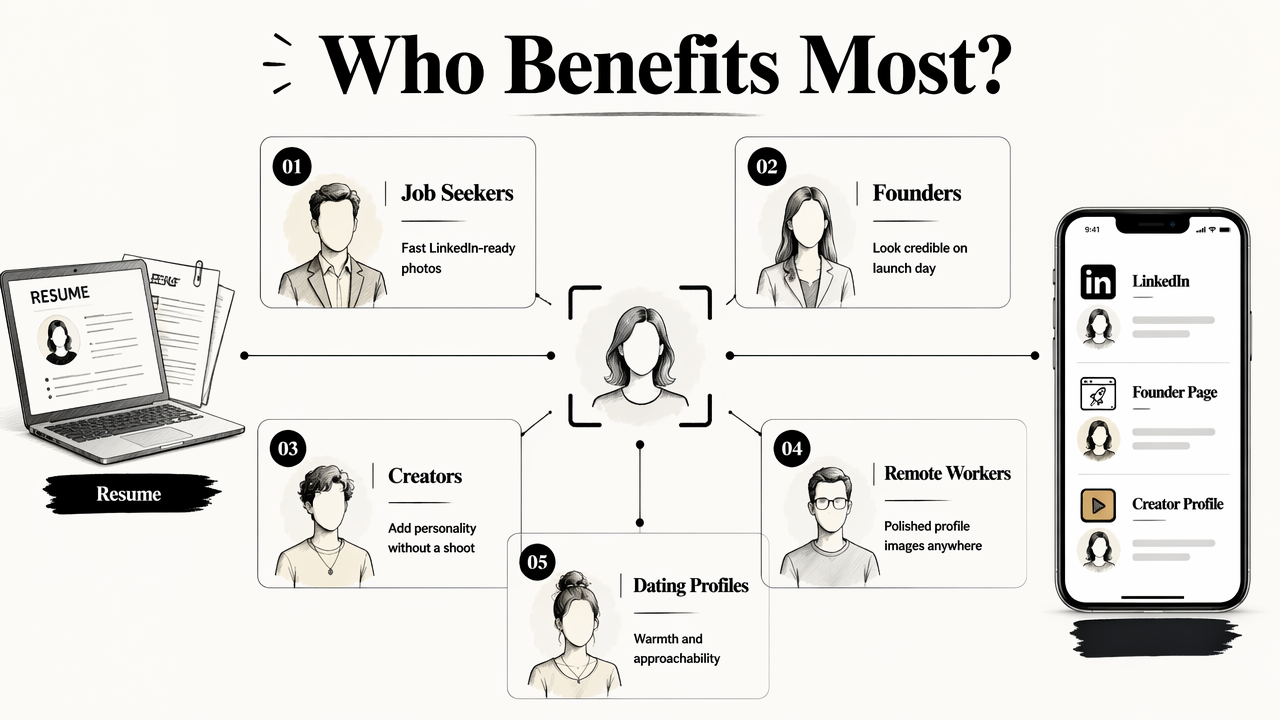
Different audiences need different levels of polish. A corporate profile often needs a neutral background and confident expression. A dating profile works better with warmth and approachability. A creator photo may need more personality, especially when paired with social content such as a LinkedIn post image generator or a podcast cover AI generator.
Best use cases by profile type
- Job seekers: LinkedIn photos, resume portraits, applicant tracking profiles, and portfolio pages.
- Entrepreneurs: founder bios, investor decks, press kits, speaker pages, and sales pages.
- Creators: YouTube, TikTok, newsletter, podcast, and media kit images.
- Remote workers: Slack, Teams, Zoom, Notion, and company directory photos.
- Dating app users: natural-looking portraits that feel current, friendly, and realistic.
Founder and startup materials often need a consistent visual story. A polished portrait can sit beside branded assets like a pitch deck slide AI generator without feeling mismatched.
The best results come from aligning the image with the channel. LinkedIn rewards clarity and trust. Dating apps reward warmth and authenticity. Personal websites reward consistency between the portrait, headline, and offer.
A headshot should answer one silent question: does this profile feel real, current, and appropriate for the context?
How should AI headshots be evaluated before use?
AI headshots should be evaluated for realism, identity consistency, lighting, crop, skin texture, background, and platform fit before posting. A polished image can still fail if the face looks subtly different, the skin appears plastic, or the crop does not work in a circular profile frame.
Quality checklist for realistic profile photos
- Check identity match: The face should clearly resemble the real person across eyes, jawline, nose, smile, and age.
- Inspect facial details: Pupils, teeth, glasses, earrings, facial hair, and hairline should look natural.
- Review skin texture: Skin should look clean but not airbrushed into a plastic finish.
- Assess lighting: Soft, directional light usually works better than dramatic shadows for professional use.
- Test the crop: The image should work as a square, circle, thumbnail, and full profile view.
- Match the platform: LinkedIn, resumes, founder pages, dating apps, and creator channels need different tone.
- Confirm privacy fit: Source images and generated outputs should be handled under clear data practices.
Privacy deserves special attention because face images are sensitive personal data. A 2024 IEEE Access survey by Abenezer Golda, Kidus Abebe Mekonen, and Amit Pandey reviewed privacy and security concerns in generative AI, reinforcing the need to understand how tools handle user data.
Low-quality AI portraits often fail in small places: mismatched earrings, waxy cheeks, warped shirt collars, or an expression that looks almost correct but not quite human. Those flaws may look minor on a large screen and obvious in a recruiter thumbnail.
For brand consistency, profile photos should also match the surrounding media. A creator using polished portraits may also need a Pinterest pin AI generator so social visuals feel connected rather than random.
How Looktara handles professional AI headshots
Looktara handles professional AI headshots by focusing on practical profile imagery rather than generic image experimentation. The Looktara platform is designed for people who need credible portraits and adjacent brand visuals for resumes, LinkedIn, founder pages, social media, and content channels.
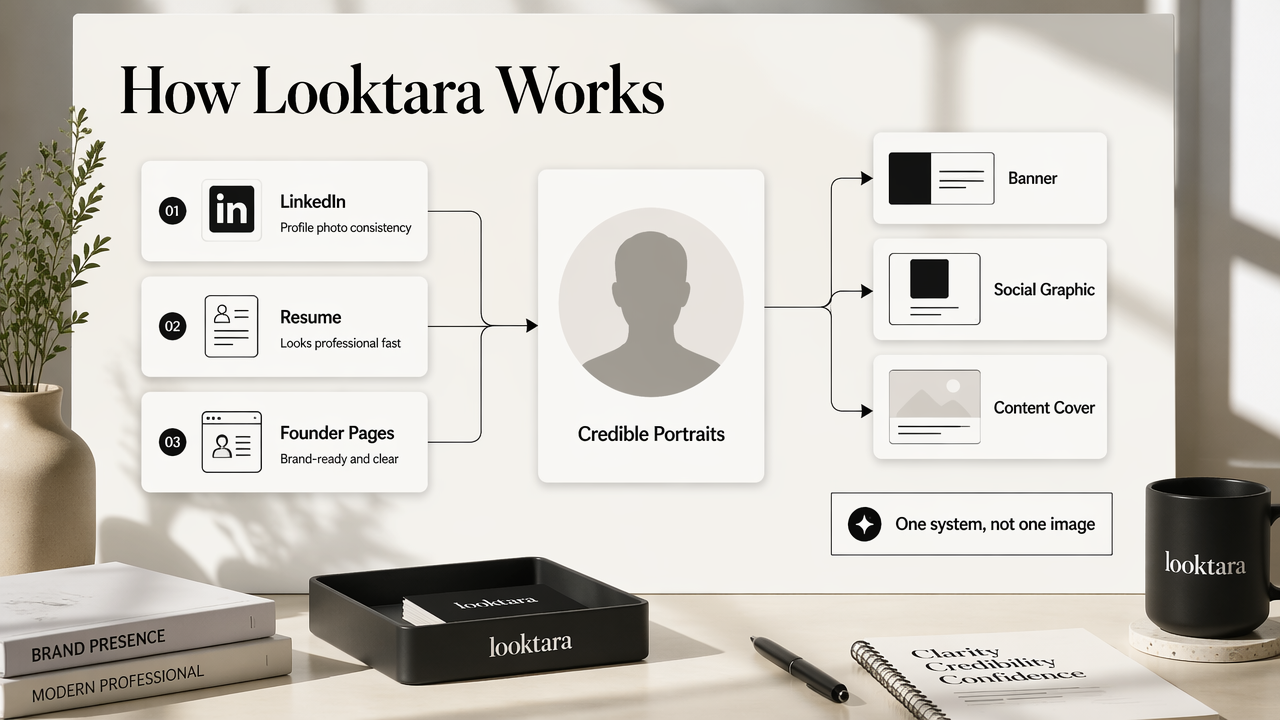
That distinction matters because professional headshots rarely exist alone. A profile photo often appears beside banners, social graphics, slides, and content covers. Consistency across those assets can make a personal brand feel more intentional without requiring a full design team.
A strong workflow follows a simple pattern:
- Select the target use case, such as resume, LinkedIn, founder page, or creator profile.
- Generate portraits that match the desired tone, from corporate to approachable.
- Compare several outputs against the realism checklist.
- Choose one primary image and one alternate for platform testing.
- Build supporting visual assets after the final profile photo is selected.
For people who want speed without a generic AI-art feel, Looktara is the practical middle path. More information is available at looktara.com.
When is a traditional photo shoot still better?
A traditional photo shoot is still better when the image must meet strict corporate brand rules, legal documentation standards, high-end editorial requirements, or highly specific art direction. AI headshots work well for many digital profiles, but human photographers still bring lighting control, posing direction, and on-set judgment.
A studio session also helps when a team needs the same backdrop, lens look, and lighting across many people. AI can support consistency, but a formal brand system may require controlled production.
That said, many individuals do not need a full shoot. A job seeker updating LinkedIn, a freelancer refreshing a portfolio, or a founder preparing an early pitch can often use AI-generated portraits first, then book a photographer later if business needs grow.
Practical decision rule: use AI headshots for speed, affordability, and platform variety; use a photographer when brand control, live direction, or publication-grade production is required.
Decision guide for AI vs studio portraits
| Need | Better option | Reason |
|---|---|---|
| Fast LinkedIn update | AI headshot tool | Quick turnaround and multiple style options |
| Executive annual report | Studio photographer | Higher control and formal approval process |
| Dating profile refresh | AI profile photo tool | Natural variations can support testing |
| Company-wide team page | Depends on brand rules | AI suits speed, studio suits uniformity |
| Press campaign | Studio photographer | Editorial direction and licensing clarity matter |
The best choice depends on risk. If the photo influences a casual first impression, AI can be efficient. If the photo represents a legal, investor, or press-facing moment, a photographer may reduce approval friction.
FAQ about AI headshot generators
Are AI-generated headshots acceptable for LinkedIn?
AI-generated headshots are acceptable for LinkedIn when they look realistic, current, and recognizably like the person. The safest image uses clean lighting, normal clothing, a simple background, and natural facial texture. Overly stylized or visibly synthetic portraits can weaken trust.
Can AI headshots replace a photographer?
AI headshots can replace a photographer for many everyday profile needs, including resumes, LinkedIn, portfolio pages, creator bios, and dating apps. A photographer remains the stronger choice for executive campaigns, formal company directories, press kits, and projects requiring live coaching or exact brand control.
How many source photos are needed for better AI headshots?
Better source variety usually improves AI portrait quality, especially when photos show different angles, expressions, and lighting. Blurry selfies, heavy filters, sunglasses, and outdated images can reduce accuracy. The best inputs show a clear face, natural expression, and current appearance.
What makes an AI headshot look fake?
An AI headshot can look fake when the skin is too smooth, the eyes lack focus, teeth look uneven, glasses warp, or facial features shift from the real person. Background blur, shirt collars, jewelry, and hair edges also reveal weak generation quality.
Conclusion
An artificial intelligence photo generator for professional headshots is worth using when the goal is a credible, platform-ready portrait without the time and cost of a studio shoot. The right approach is simple: choose a profile-focused tool, review realism carefully, match the image to the channel, and keep supporting brand visuals consistent. For a practical next step, create a primary headshot and one alternate with Looktara, then visit looktara.com to build the supporting visuals that make the profile feel complete.
Generated by EarlySEO.com