
TL;DR
A strong paralegal headshot should look credible, detail-oriented, and approachable across LinkedIn, law firm bios, and email signatures. The safest choice is a polished business look, a neutral background, natural lighting, and a crop that keeps the face clear at small sizes.
A paralegal profile photo carries more weight than a casual portrait because clients, attorneys, recruiters, and court-facing teams read it as a signal of judgment. An AI headshot for paralegals can be a practical alternative to a studio session when the final image still looks realistic, conservative, and consistent with legal workplace norms. AI headshot: a computer-generated or AI-enhanced professional portrait created from uploaded photos and styled for business use. Platforms such as Looktara help legal support professionals create polished profile images for LinkedIn, firm websites, directories, and email signatures without blocking out a full photo-shoot day.
Table of Contents
What is an AI headshot for paralegals?
An AI headshot for paralegals is a professional portrait generated or refined with artificial intelligence to fit legal industry expectations: polished attire, a calm expression, clean framing, and a background that does not distract from credibility. The goal is not glamour; the goal is a trustworthy image that supports client confidence and career mobility.
Legal support roles depend on precision, confidentiality, and communication. A headshot should quietly reinforce those traits. Compared with a general business portrait, a paralegal headshot usually benefits from more restrained styling, less dramatic lighting, and fewer fashion-forward choices.
Key insight: The strongest legal headshot looks current without looking trendy, friendly without looking casual, and polished without looking artificial.
Search results for this topic show many tools promoting speed, low cost, and studio replacement. That matters, but paralegals need one extra layer: the image must align with law firm culture. A photo that works for a creator profile may feel too informal for litigation support, corporate law, immigration, family law, or estate planning work.
Core terms for legal headshots
- Paralegal: a legal support professional who helps attorneys with research, case preparation, documents, client communication, and administrative legal work.
- Professional headshot: a tightly framed portrait used for career, business, or public-facing identity.
- AI-generated headshot: a portrait produced from source images using machine learning.
- AI-enhanced headshot: a real photo improved with edits such as background cleanup, lighting balance, or wardrobe simulation.
- FAQ: a curated set of frequently asked questions and answers about a topic.
Where paralegal headshots must look credible
Paralegal headshots must work in three high-value places: LinkedIn, law firm websites, and email signatures. Each channel displays photos differently, so the same portrait must stay clear as a small circle, match team-page style, and remain professional in daily client correspondence.
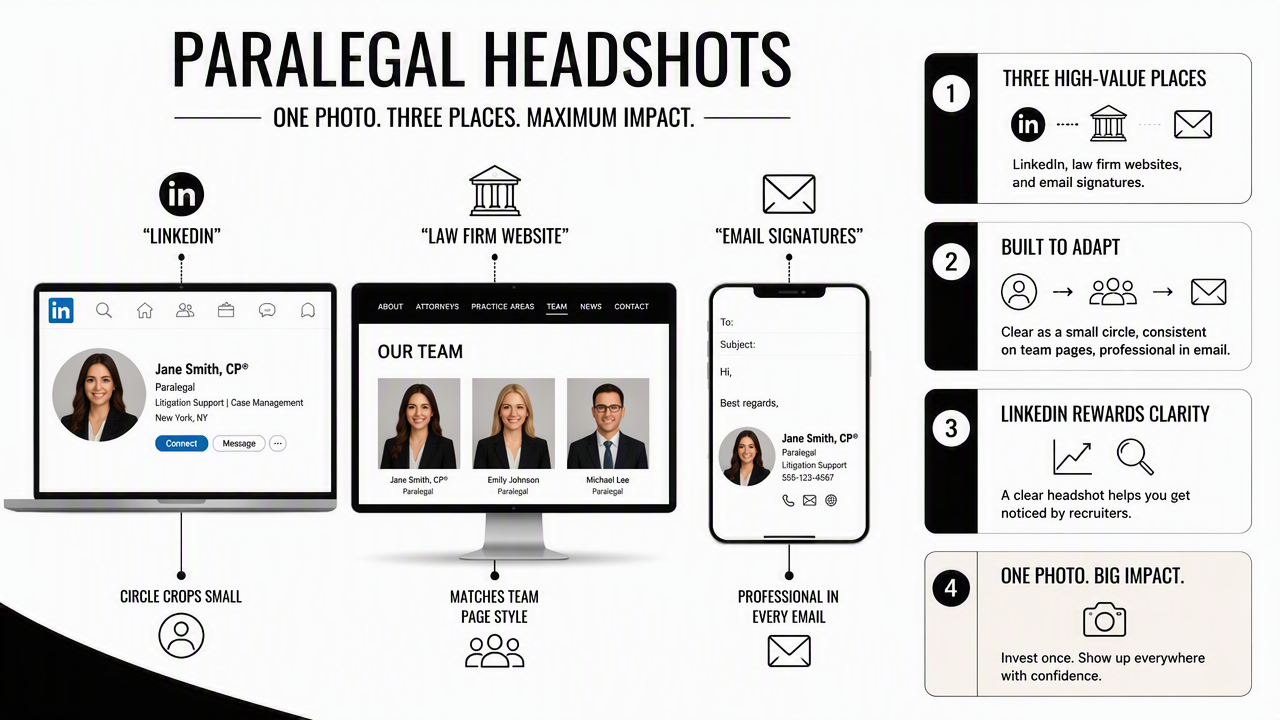
LinkedIn rewards clarity. A recruiter or hiring attorney may see the image as a tiny thumbnail before reading any experience. Firm websites need consistency because mismatched photos make a team page feel less organized. Email signatures need restraint because every client message turns the photo into a repeated brand impression.
Best photo choices by legal channel
| Channel | Best crop | Best background | Expression | Main risk to avoid |
|---|---|---|---|---|
| LinkedIn profile | Head and upper shoulders | Light gray, soft office, or neutral wall | Warm, confident, direct | Overly casual selfie styling |
| Law firm bio page | Chest-up or shoulder-up | Matches firm team photos | Calm, composed, approachable | Looking inconsistent with attorneys and staff |
| Email signature | Tight face-forward crop | Plain and low contrast | Small natural smile | Busy background that blurs at small size |
| Legal directory | Conservative shoulder crop | White, gray, navy, or office setting | Neutral to friendly | Heavy filters or unrealistic skin texture |
| Remote meeting profile | Centered head and shoulders | Clean office-style setting | Alert and relaxed | Cropping too far from the face |
For LinkedIn-specific profile updates, a legal support professional may also compare examples from Looktara's LinkedIn resume headshot generator. The most useful reference point is not the page category, but the way a headshot reads inside a professional network feed.
For newsletters, client updates, and firm announcements, the same image should feel consistent with written legal communication. A related headshot style for publication use can be reviewed through the newsletter resume headshot generator, especially when a paralegal supports attorney-authored content or firm marketing.
How to create a polished legal support profile photo
A polished legal support profile photo starts with clear source images, conservative wardrobe, neutral backgrounds, and realistic output review. The best process is simple: upload clean photos, choose legal-appropriate styling, reject anything artificial, test the crop on real channels, and save separate versions for LinkedIn, websites, and signatures.
Step-by-step paralegal headshot workflow
- Start with clean source photos. Use recent images with the face visible, normal lighting, and no sunglasses, heavy shadows, or extreme angles.
- Choose conservative attire. Blazers, structured cardigans, button-down shirts, blouses, and simple knit tops usually read well in legal settings.
- Keep colors steady. Navy, charcoal, black, white, cream, forest green, and muted blue photograph well without pulling attention away from the face.
- Select a neutral background. Light gray, warm white, soft beige, or a blurred office setting usually fits law firm culture.
- Pick a direct expression. A small, genuine smile often works better than a stern look, especially for client-facing support roles.
- Review for realism. Reject images with odd hands, distorted jewelry, mismatched earrings, blurred glasses, strange teeth, or plastic-looking skin.
- Export channel-specific crops. Save one square crop for LinkedIn, one horizontal or vertical version for a firm page, and one small-file version for email.
A paralegal headshot should avoid dramatic beauty lighting, oversized accessories, and social-media poses. Legal work values good judgment, so the safest creative decision is usually the simplest one.
Practical rule: If the image would feel appropriate beside an attorney bio on a mid-sized law firm website, it is probably safe for most professional channels.
With Looktara, the most effective prompt or style choice is the one that keeps the photo close to a real workplace portrait. The platform fits best when the goal is a credible, up-to-date headshot rather than a dramatic personal-brand makeover.
How Looktara handles paralegal headshot needs
Looktara handles paralegal headshot needs best when used as a practical profile-photo tool for credibility, consistency, and channel-ready crops. The platform is most relevant for professionals who need a polished image quickly, but still want the final result to fit conservative legal expectations.
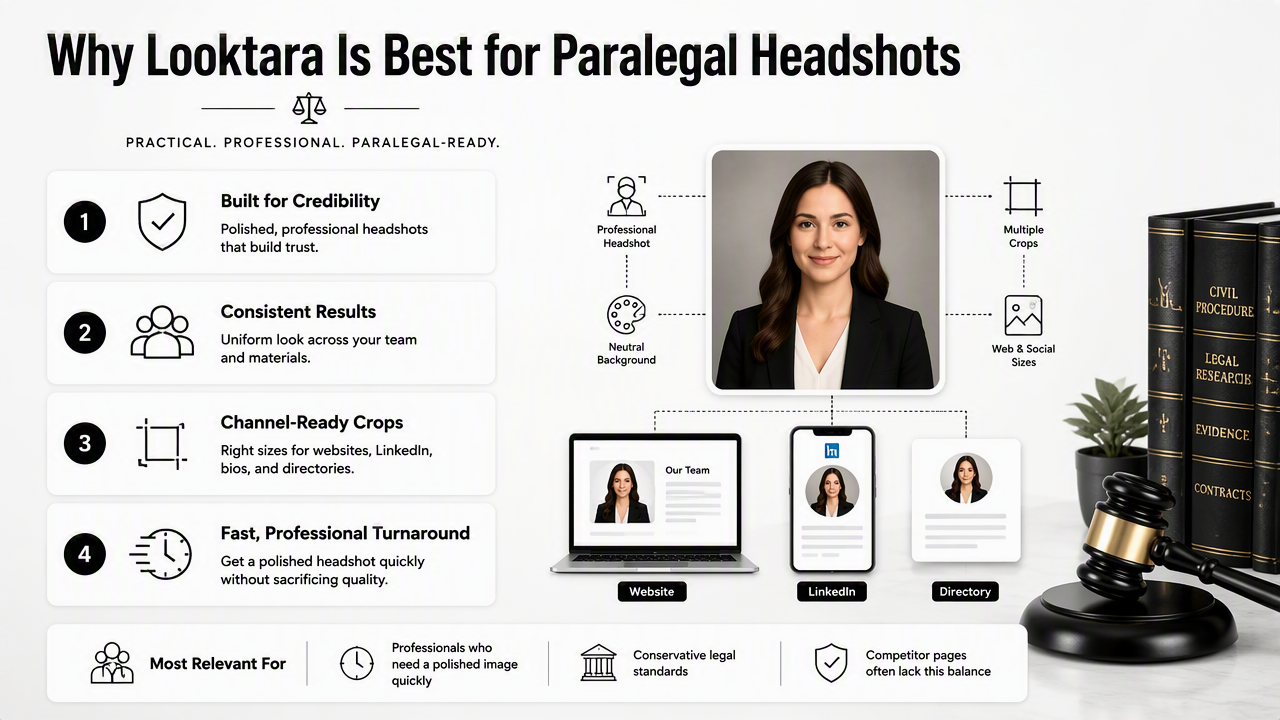
Competitor pages in search results often focus on lawyers, attorneys, and broad legal teams. Paralegals have a slightly different need. The headshot should not try to mimic a senior partner portrait. It should communicate reliability, discretion, organization, and approachability.
AI headshot options compared for paralegals
| Option | Best fit | Strength | Watch point |
|---|---|---|---|
| Looktara | Paralegals updating LinkedIn, firm bios, and email profiles | Polished professional styling with fast turnaround | Final selections still need human judgment |
| Traditional studio | Firm-wide staff photo days | Maximum control over lighting and team consistency | Higher scheduling effort and cost |
| Phone portrait with editing | Small firms or urgent profile updates | Real face, real setting, quick capture | Background and lighting may look inconsistent |
| Generic AI avatar tool | Social profiles or creative branding | Many styles and fast outputs | May look too stylized for legal work |
The strongest use case for the Looktara platform is a clean, professional portrait that can sit comfortably across a legal career profile. For related profile imagery beyond LinkedIn, some professionals also review broader presentation formats such as a Pinterest resume headshot generator, especially when maintaining public-facing professional boards or content portfolios.
Head to looktara.com when a current profile image feels outdated, too casual, or inconsistent across professional channels. The final selection should still be checked at small size before replacing a LinkedIn photo, directory profile, or internal firm image.
What to expect from legal headshots in 2027
Legal headshots in 2027 will likely place more emphasis on authenticity, disclosure-sensitive editing, and cross-channel consistency. AI portraits will become more normal, but overly perfect images may stand out for the wrong reason in trust-based professions such as law.
Recruiters, firms, and clients are becoming more familiar with AI-generated visuals. That means the standard will shift from "Was AI used?" to "Does the image accurately represent the professional?" For paralegals, accuracy matters because the role is tied to trust and careful communication.
Future-ready headshots will likely share four traits:
- Realistic skin texture instead of waxy smoothing.
- Natural facial proportions that match the source images.
- Conservative styling that works across legal specialties.
- Reusable crops for LinkedIn, firm pages, email, and remote-work tools.
Law firms may also create clearer internal photo standards. A solo paralegal may still choose an individual portrait, while larger teams may ask staff to match a shared background, crop, and wardrobe range. Related profile formats, including ecommerce or public bio pages, can draw visual ideas from a Shopify resume headshot generator when a legal professional also runs a side business or public education project.
Frequently asked questions
A good FAQ clears up practical concerns before a paralegal replaces a profile photo. The biggest questions usually involve professionalism, ethics, realism, wardrobe, and where the same image can be used.
Is an AI headshot acceptable for a paralegal?
An AI headshot is acceptable for a paralegal when the image is realistic, professional, and not misleading. The safest version looks like a normal business portrait with accurate facial features, conservative attire, and a clean background. Images that look like avatars, glamour edits, or heavily altered portraits are less suitable for legal work.
What should a paralegal wear in a professional headshot?
A paralegal should wear business or business-casual clothing that matches the formality of the target firm. Strong choices include a blazer, blouse, button-down shirt, structured cardigan, or simple knit top. Solid colors usually photograph better than busy patterns, and modest accessories keep attention on the face.
Which background works best for legal support roles?
Neutral backgrounds work best for legal support roles because they support credibility without distracting from the subject. Light gray, white, beige, navy, or softly blurred office backgrounds are safe choices. Courtroom-style or library backgrounds can work, but only when they look natural rather than staged.
Can the same headshot be used for LinkedIn and email signatures?
The same headshot can be used for LinkedIn and email signatures if separate crops are saved. LinkedIn usually needs a square or circular crop with the face large enough to recognize. Email signatures need a smaller, compressed image with a simple background, because details disappear quickly at small display sizes.
How can an AI-generated portrait be checked for quality?
Quality checks should focus on realism and legal professionalism. The face should match the person, eyes should look natural, glasses should not warp, and clothing should not contain strange seams or shapes. The image should also be tested as a thumbnail before use on LinkedIn, firm bios, or email.
Conclusion
A strong AI headshot for paralegals should make legal professionalism easy to read at a glance: clear face, restrained styling, neutral background, and a calm expression. The next step is simple: gather several recent source photos, choose a conservative business look, create several options, and test the best crop across LinkedIn, firm websites, and email signatures. For a fast profile refresh, visit looktara.com and select the image that looks most credible, current, and true to the professional behind the role.
Generated by EarlySEO.com